Buying and selling are easy for an individual because there is direct communication between two parties. But as the number of people increases, communication of purchasing transactions becomes difficult. Because the workload escalates.
Thus, organizations prefer purchase orders to streamline procurement. However, the task is to create precise and effective purchase orders to send.
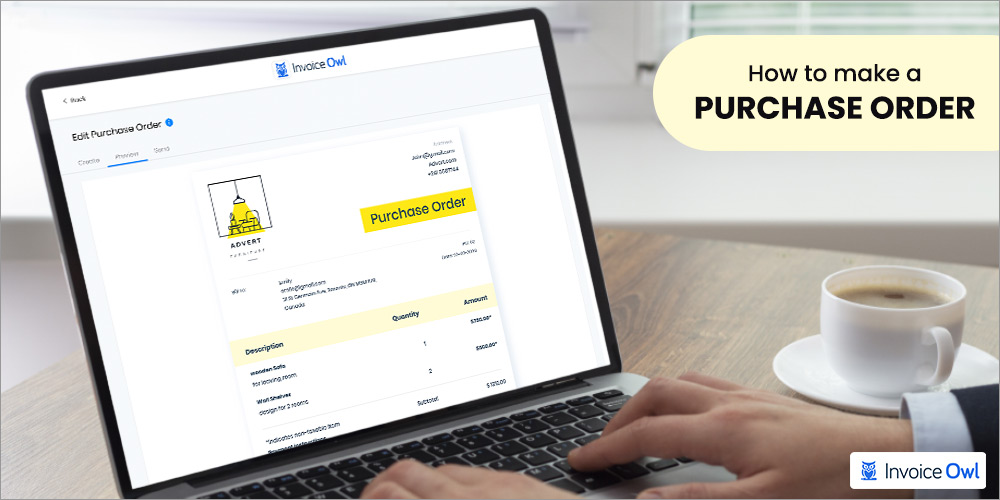
Thus, we have come with up the steps on how to make a purchase order and its types that will make your purchase orders into the approval process.
What You'll Learn
- 01Essential components required in every purchase order
- 02Step-by-step process for creating professional POs
- 03Different types of purchase orders and when to use them
- 04Benefits of automated purchase order systems
- 05Free templates and customization guidelines
Table of Content
- Understanding Purchase Orders
- What to Include in a Purchase Order (PO)?
- Step-by-Step Purchase Order Creation Guide
- Purchase Order Templates and Examples
- Why Purchase Orders are Issued?
- Benefits of Automated Purchase Order Systems
- Create Your Own PO
- FAQs
Understanding Purchase Orders
Think of a purchase order (PO) as a commitment to buy something, providing both parties with a clear record of the transaction terms. This is especially important in the U.S. market, where clear documentation and adherence to legal standards are critical.
To begin with, it's essential to establish a comprehensive understanding of what a purchase order entails. Let's delve deeper into its components and significance in the procurement process.
What is a Purchase Order?
A purchase order is a process of purchasing transactions between contractor and supplier. In this process, the first contractor decides to buy goods and services from the vendor.
The contractor approaches the vendor for it and after communicating about it, creates a purchase order for it. Later, the contractor sends a PO to the vendor for the approval of goods and services availability and price.
The vendor reviews and checks the goods and services, and sends the approval to the contractors.
A purchase order is created to track and streamline the business finances. It also has multiple benefits for the organization. The following are the benefits:
Moreover, every purchase order has a unique number that helps to track the transactions faster. In a nutshell, it is an official record that signifies transactions between both the buyer and seller.
Other than that, the event of miscommunication and fraud decreases.
Now, let's dive into steps on how to create a purchase order.
What to Include in a Purchase Order (PO)?
A well-crafted purchase order (PO) is essential for smooth and efficient business transactions. It acts as a formal agreement between a buyer (you) and a seller (vendor) outlining the specifics of a purchase. Here's what you should include in your PO:
1. Essential information:
- PO Number: A unique identifier for tracking purposes.
- Date: Issue date of the PO.
- Your Information: Company name, address, and contact details.
- Vendor Information: Seller's company name, address, and contact details.
2. Order details:
- Item Description: Clearly describe each item being purchased, including model numbers, part numbers, or any other relevant specifications.
- Quantity: Specify the exact number of units of each item required.
- Unit Price: Indicate the agreed-upon price per unit of each item.
- Total Cost: Calculate and display the total cost for each item and the overall purchase.
3. Delivery information:
- Delivery Date: Specify the expected delivery date for the order.
- Shipping Address: Clearly state the desired delivery location.
- Shipping Instructions: Include any specific instructions for packaging, handling, or delivery methods.
4. Payment terms:
- Payment Method: Outline the agreed-upon method of payment (e.g., check, credit card, wire transfer).
- Payment Terms: Specify the payment terms, such as net 30 (payment due within 30 days) or specific due dates.
5. Additional information:
- Special Instructions: Include any specific requirements or instructions for the seller, such as quality control procedures or return policies.
By including all these elements, you create a clear and comprehensive purchase order that minimizes the risk of misunderstandings and ensures a smooth transaction for both you and the vendor.
Step-by-Step Purchase Order Creation Guide
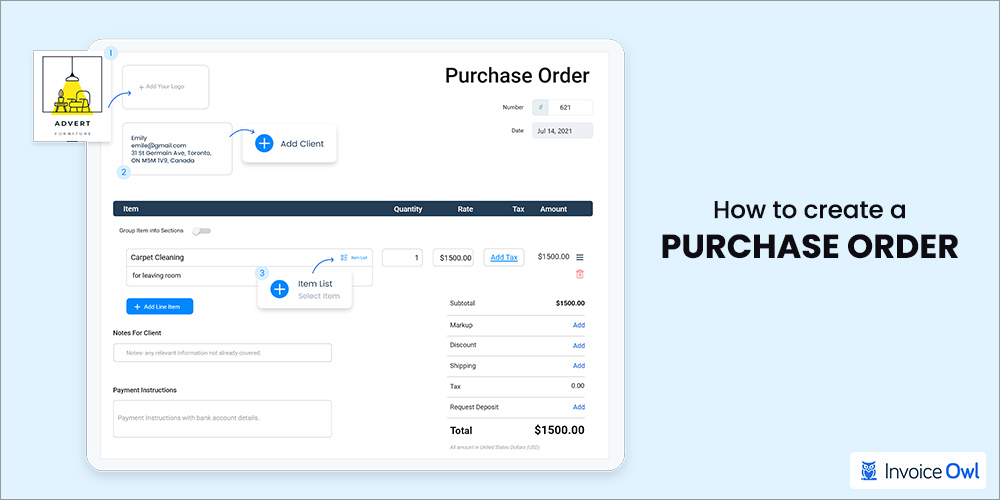
1. Gathering required information
Will you take orders without knowing what the work is? No, most probably you would not; likewise, you cannot send a purchase order without filling in mandatory information. One piece of information and your entire hard work of creating a PO will be a loss.
What Information and data come under Purchase Orders:
- Company's name
- Date of purchase
- Order number
- Quantity size
- Amount
- Phone number
- Tax number
- Email address
- Delivery date
Those are the necessary data that you need to add to create purchase orders, which will be placed at the top right.
2. Choosing the right PO format
Not every business functions the same, similarly, you need to choose a medium or method to make a purchase order. You can go for the traditional method by writing on paper or opt for the digital method.
There are multiple free purchase order template online and invoice software that helps you to generate purchase order faster. Why is it essential to choose a medium in the first stage of creation? Because it will give you a clear idea about the purchase orders.
There are different types of purchase orders which we will learn ahead. Once, you have chosen the medium, it is time to fill in the data.
3. Mention the shipping address
A shipping address and shipping date are crucial factors in the purchase orders. While creating a purchase order, the buyer and seller address delivery dates and shipping costs (if included) in the description.
It will help to keep both buyer and seller on the same page and avoid miscommunication and disagreements. Nevertheless, ask the seller if any items are not available or on backorder, and if that's the situation ask them to note them in the shipment. If needed, an additional shipping invoice can be created and attached to the main invoice.
Provide a due date to the seller to approve or fill the purchase order
Also, you can mention it in the 'memo' section of the purchase order which is at the bottom part. So, your PO process does not face any issues further.
4. Filing and documentation
After all the details are filled in, it is time for calculation. In the purchase order creation, it is a vital step because it needs to be done attentively. For that make a subtotal line at the end where the list of the total price is mentioned; just before applicable taxes.
Next is the tax line, which is for sales tax and is placed between subtotal and total. Last but not least is the total line where the sum of the entire amount a buyer has to pay should be mentioned in the purchase orders.
From the header to the button, every information and step is important so do not skip it. If your purchase order is linked to legally binding, you need to sign the document. But there's still some catch left in the process and that is types of purchase orders.
Several contractors or small business owners are not aware of the types of PO and think every PO is the same. However, they are not entirely wrong as the format remains the same but information and pattern change.
Purchase Order Templates and Examples
With that being said, let's explore the various types of purchase orders in detail. This section will provide a comprehensive understanding of these different categories and their specific functions.
Free downloadable templates
Those who seek direct access to high-quality purchase order templates can simply click the download link below.
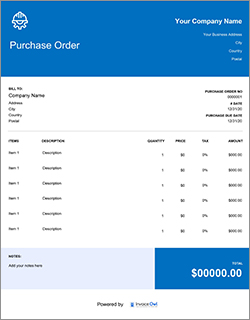
[

Download Template Now](/images/2022/05/purchase-order-template.pdf)
Customization guidelines
1. Standard purchase orders
It is the most used and popular purchase order. This purchase order includes primary information like delivery schedule, delivery date, payment terms, and quantity. In standard purchase orders, the buyer knows and has a clear idea of the details of the purchases.
The buyer can identify what services they are buying and what items from the sellers in the standard purchase order.
2. Planned purchase orders
As the name suggested, it is the planned purchase order that buyers give in the context of the future. It is an estimate that is used when the buyers are uncertain about the delivery date and quantity.
Hence, the buyer only knows what they are buying and the cost per item, but because of half the information, he or she sends planned purchase orders.
3. Contract purchase orders
The contract purchase order is the most formal purchase order document. In this purchase order, both buyers and sellers sign a contract regarding the purchase. A contract purchase order is used by a large enterprise that wants to be safe.
It is also considered legal protection for organizations. This purchase order is issued after a mutual agreement between two parties.
4. Blanket purchase orders
If your business deals with large orders, blanket purchase orders would be a good choice for you. In these purchase orders, the buyer gives multiple orders at one time to negotiate discounts on the amount.
The blanket purchase order and planned purchase order are similar because both of them are applied in advance.
Why Purchase Orders are Issued?
Purchase orders serve several crucial purposes in the procurement process:
1. Formalize agreements
They act as legally binding documents between the buyer and seller, outlining the specific details of the purchase and preventing conflicts or disagreements.
2. Ensure accuracy
They help ensure all parties involved have a clear understanding of the order details, including quantity, price, and delivery expectations, minimizing errors and discrepancies.
3. Improve control
They provide a documented record of the transaction, allowing buyers to track spending, manage inventory levels, and ensure proper budget allocation.
4. Streamline communication
They facilitate clear communication between buyers and vendors, promoting efficient order processing and delivery.
5. Approval process
They can be used to implement internal approval workflows within organizations, ensuring authorized personnel review and approve purchases before they are finalized.
Overall, purchase orders play a vital role in maintaining transparency, accountability, and efficiency within the procurement process.
Benefits of Automated Purchase Order Systems
In today's digital age, manual PO processes can be time-consuming and prone to errors. Implementing automated purchase order systems offers several significant benefits:
1. Increased efficiency
Automation streamlines the entire PO process, from creation and approval to vendor communication and order tracking. This saves time and resources, allowing your team to focus on other strategic tasks.
2. Improved accuracy
Automated systems eliminate the risk of human error in data entry and ensure consistent formatting and adherence to company policies.
3. Enhanced visibility
Real-time access to order status and spending data allows for better inventory management, budget control, and informed decision-making.
4. Streamlined approvals
Automated workflows facilitate faster and more efficient approval processes, reducing bottlenecks and speeding up order processing times.
5. Reduced costs
Automation can significantly lower administrative costs associated with manual PO creation, processing, and filing.
By embracing automated purchase order systems, businesses can achieve greater efficiency, accuracy, and control over their procurement activities.
Ready to Streamline Your Purchase Orders?
Join 100,000+ contractors using InvoiceOwl to generate purchase orders on the go and simplify your procurement process.
Try Free for 3 DaysCreate Your Own PO
Creating a purchase order is quite easy if you follow the right method. But do you want to make it easier, simple, and most of all less time-consuming? If yes, then opt for an invoice software like InvoiceOwl to streamline your purchasing process.
The software will help you to save time and effort by offering an automation process. So, you don't have to worry about missing a purchase order date, tracking payments, billing address, business name, and order details.
As everything will be saved by the software. All you have to do is fill in the information and you are ready to send your purchase order to the client.
Thus, why don't you try a free trial and see how effortless the procurement process gets.
Frequently Asked Questions
You can use online templates or purchase order software to easily manage and track purchase orders for your business.
The buyer initiates the purchase order and it is considered after the approval of the seller.
To make a purchase order in the world you need to follow the following steps:
- Open the Microsoft Word document
- Click on the MS Office icon on the top left
- 'List' will appear in that click 'new'
- There you will find the option of templates, choose 'purchase orders' in it.
For effective purchase order management, keep records organized both digitally and physically. Use a consistent naming system and store them securely. Each order should include the order number, date, items, and approvals. Regularly check orders against invoices for discrepancies, and archive completed orders separately.