Lucrative profit ratios are good, but a healthy and consistent cash flow fuels your business to keep going.
The adage is quite helpful if you are new to businesses. Why? The first mishap toward inconsistent cash flow is sending unclear or incorrect invoices to your customers. They might find invoices difficult to understand or sometimes need to know whom to pay. Consequently, handling incorrect payments can be a challenging task for you.
Reports from the Credit Research Foundation say that 61% of payment delays occur due to incorrect invoices or receiving invoices too late.
Therefore, creating clear and accurate invoices that help you get paid faster, is not a best financial practice but a strategic move to ensure your business thrives.
This guide on how to make an invoice will not only streamline your invoicing process, but also fortify the foundation of a reliable and steady cash flow.
What You'll Learn
- 01Essential elements of a professional invoice layout
- 02How to create invoices for free using templates and generators
- 03Best practices for faster payments and clear communication
- 04The difference between free tools and professional invoicing software
- 05How to incorporate branding and tax information properly
Create an Effective Invoice Layout
Making an invoice that looks professional is easy to understand yet required some help to make the process easy for you and get the outstanding invoices. Thus, a detailed version is discussed to automate your entire invoices process.
Here's how to make an invoice:
- 1. Start with a professional invoice layout
- 2. Brand your invoice for impact
- 3. Draft your invoice header effectively
- 4. Complete essential invoice information
- 5. Detail goods and services accurately
- 6. Incorporate tax and discount information
- 7. Outline payment instructions clearly
- 8. Add comprehensive explanatory notes
1. Start with a professional invoice layout
Begin with establishing a professional layout for your invoice that can benefit your business. It enhances business credibility and image, clarifies clear invoicing details, and builds long-lasting client trust.
Nevertheless, it's imperative to move beyond manual ways of crafting invoices to achieve an invoice that emits professionalism.
You can start using the free invoicing templates available in different file formats. Not just this, you can even choose industry-specific invoice templates from the range of templates available.
Note that after joining, Apple will notify you when the required language model is ready for download. The download time will depend on your network speed. Once you gain access to the Apple Intelligence suite, you will be able to try new features, including Image Playground, Apple's generative image application.
2. Brand your invoice for impact
Strong brand awareness in the market can lead your way toward potential customers. It is very crucial to incorporate the brand's visual identity into the invoice.
You can include your brand logo, choose the invoice color that goes with your brand, and also add any other branding element like font style, font size, etc to make a memorable impact among the clients.
Make sure that whatever you add as your brand elements, it has to be aligned with your other social media pages, website, and other marketing channels.
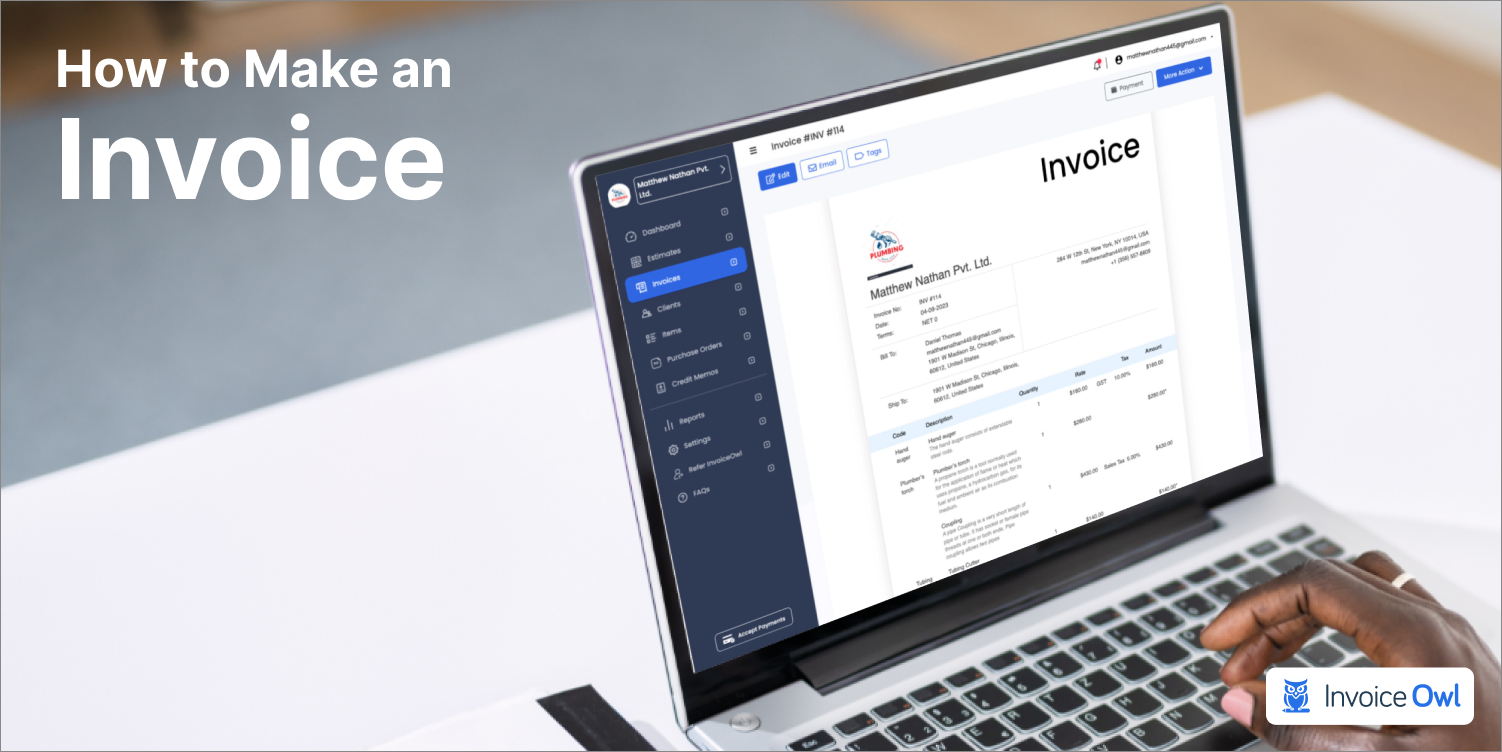
Sign up for InvoiceOwl's online invoicing software. Here you can easily add your business logo, adjust its position, add banners, watermarks, and play with colors to reflect your brand identity.
3. Draft your invoice header effectively
A well-designed professional header is the first thing a client notices in an invoice. It should state who you are and how they can reach you.
A professional header should include the business name, logo (if any), address, and contact details. The header serves as a quick reference point for clients, facilitating easy identification of the source of the invoice.
The next part of the header should include the needed client details. It should have the client's business name, business address, mail address, and contact information.
4. Complete essential invoice information
As we discussed previously, adding essential details for segmenting one invoice from the other is very important.
First, ensure that your invoice is labeled as an "Invoice" for easy identification. Then it is advisable to mention every single invoicing information. This should include an invoice number, invoice date, and invoice due date.
Detailed information and a well-drafted invoice numbering system can help you track invoices at a later date. It can also streamline your financial operations.
For instance, the unique invoice number allows you to easily refer to and track specific transactions, helping you reconcile your accounts with ease in the future.
5. Detail goods and services accurately
A clear description of the goods and services offered should be included in the professional invoices you create. This practice of mentioning the detailed line items, quantities offered, hours spent, and the rates charged against them, helps the client understand what they are paying for and why.
Itemization of goods or services
Itemizing goods or services ensures transparency and clarity in your invoices. Break down each product or service provided with the following details:
- Description: A concise explanation of the item or service.
- Quantity: The number of units provided or hours worked.
- Rate/Price: The cost per unit or per hour.
- Total Amount: The total for each line item to provide an accurate breakdown.
Highlight timeframes and responsiveness
Incorporating timeframes and demonstrating responsiveness in your invoice enhances professionalism.
Adopt this practice by clearly indicating the delivery or completion dates for services or goods, ensuring accountability and clarity. Additionally, include a statement on how promptly the invoice was issued after the service or delivery. This reflects your efficiency and commitment to timely transactions.
Say Goodbye to Late Payment & Hello to Instant Cash Flow!
InvoiceOwl lets you effortlessly manage everything, right from invoicing to payments in one single intuitive user interface.
Start 3-Day Free Trial6. Incorporate tax and discount information
While preparing invoices, outline any applicable discounts or taxes. The percentage of the tax charged, or the discount offered should be communicated to eliminate any potential confusion at the time of the payment. This level of transparency contributes to accurate accounting and fosters trust.
Taxation laws and applicability across regions
Just like discounts, it is also important to add the tax percentage and calculate the tax amount separately to ensure clarity. For instance: Sales Tax (8%): $40
It is important to be aware of local and international taxation laws, as they vary across regions. For example, VAT in Europe or GST in countries like the USA or Canada. Add your tax identification number and, if required, the client's for compliance purposes.
7. Outline payment instructions clearly
Facilitate seamless transactions by stating precise payment information. Clarifying payment details on a prior basis avoids potential disputes between customers and vendors.
Multiple payment options and benefits
Good Read: How to Collect Payment from Customers.
8. Add comprehensive explanatory notes
Last but not least, it is also important to include notes for better clarity.
Enhance the clarity of your invoice by including explanatory notes with relevant terms and conditions. This section serves as a means of communication, setting expectations, and contributing to a clear understanding of the transaction.
To pursue professionalism in your custom invoices, it's crucial to undergo a transition from manual methods of crafting invoices. Embrace modern tools and technologies to streamline the invoicing process, ensuring accuracy, efficiency, and a positive impact on your business.
How to Create an Invoice for Free Using Tools
Creating an invoice that is clear, professional, and cost-free all at once is quite challenging. However, InvoiceOwl offers you two ways to create invoices free of cost.
1. Using free invoicing templates:
Make your invoicing experience The invoicing templates can make your invoicing experience a breeze. All you have to do is download the templates, mold them as per your brand, and send them to your clients via email. You can even download the template, print it, or save it in your folder for later purposes. These templates are available at zero cost.
Further, to create invoices that reflect your brand identity, you can personalize the free invoice template by choosing the color, layout, and format as per your business preferences.
InvoiceOwl also offers different industry-specific free invoice templates.
For instance,
- Hotel invoice templates
- Car invoice templates
- Freelancing invoice templates
- Attorney invoice templates
- Contractors invoice templates
These are just a few examples. Various other invoice templates are available that suit your respective industries. Go and check it out here.

2. Using an online invoicing generator:
The second cost-free option offered by InvoiceOwl is the use of an online invoicing generator, a key feature of our invoice maker and estimate app. No registrations or sign-up procedures are required.
Visit the free invoice maker, input the necessary details in the ready-made template provided, and send professional invoices to the clients via email.
You can even download the PDF format of the invoice created to use it for later purposes. Not only this, but you can even customize the currency and currency format. This flexibility ensures that you can adapt it to various payment scenarios and international transactions. By learning how to make an invoice with Google Docs you gain more control to customize your invoicing process. Similarly, knowing how to make an invoice in Google Sheets offers additional flexibility with advanced features and calculations.
Compare Free Tools to Professional Invoicing Software
The use of free invoicing tools for seamless invoice creation can never go wrong. However, to further streamline your overall invoicing experience, there is something beyond these free tools and templates.
Here we are talking about efficient invoicing software. Right from approaching a client to getting paid from them, InvoiceOwl can do it all for you. Have a look at the comparison table shown below for a clear understanding:
| Features | InvoiceOwl Invoicing Software | Free Tools and Templates |
|---|---|---|
| Create estimates | ✓ | ✗ |
| Track invoices | ✓ | ✗ |
| Export invoices | In PDF, CSV & XLS file format | Only in PDF |
| Duplicate invoices | ✓ | ✗ |
| Accept payments | ✓ | ✗ |
| Track payments | ✓ | ✗ |
| E-sign or attach contracts | ✓ | ✗ |
| Maintain client data | ✓ | ✗ |
Best Practices for Successful Invoicing
After going through this entire guide, you might have felt confident about how to prepare invoice. To further streamline your invoicing processes for one final time, consider looking at some of the best invoicing practices given here:
Get Effortless Invoicing for Your Small Businesses
Take the stress out of billing with InvoiceOwl's free professional invoice templates and tools.
Get StartedThe Wrap-Up
By incorporating these insights, you are not just streamlining the invoicing process but enhancing your business image as well. Remember, an invoice is more than just a payment request; it's a reflection of your professionalism and attention to detail.
So, utilize these strategies, embrace the tools at your disposal, and ensure that every invoice you send out speaks volumes about the quality and reliability of your business.
Here's to efficient invoicing and a thriving business ahead!
Frequently Asked Questions
An invoice is a commercial document raised by a seller against a buyer. It is a detailed description of goods and services provided, how much they cost, agreed-upon prices, as well as necessary terms and conditions. Conclusively, invoices are payment requests from sellers to buyers.
A professional invoice template is a pre-designed invoicing layout that includes all the essential details, such as business information, client details, invoicing details, and detailed descriptions of goods or services rendered. It serves as an initial point for creating professional and consistent invoices.
An invoice should include all essential details to ensure prompt payments and clarity. These details include the company's information and the client's address, contact information, and mailing address. The invoice should have a clear title, a unique invoice number, and both the issue and due dates. It must provide a detailed description of the goods or services rendered, including subtotals for each item (with quantities, unit prices, or hourly rates) and the total amount due, factoring in sales tax, fees, and discounts.
Yes, invoicing tools and software allow you to customize your invoice design to align with your brand identity. You can incorporate your logo and brand colors and choose fonts that reflect your business style, creating a professional and cohesive look.
By clarifying clear payment terms, sending timely payment reminders, and by implementing a systematic follow-up process you can handle your late payments. You can also consider charging late fees for overdue payments and encourage prompt settlement.
Other than PDF files, invoice templates are available in Microsoft Word, Microsoft Excel, Google Sheets, and Google Docs format.
Mention the discount amount or percentage on a separate line in the invoice. For example: Discount (10%): -$50. While you're at it, ensure the discount is deducted from the subtotal before applying taxes to avoid confusion. If the discount is conditional (e.g., early payment), mention the criteria prominently.