Now, you can get more out of the best invoicing solutions, which are considered as one of the best appropriate solutions for you. We will help you resolve the accounting aspect of your business, including all the basic and complex invoicing tasks.
Whether you need to accept wire transfers, send paper invoices, track time, or manage complete accounting functions, there's an invoicing solution designed specifically for your needs. This guide explores the top invoicing platforms categorized by their specialized features and use cases.
What You'll Learn
- 01Best invoicing solutions for different payment methods including wire transfers and paper invoices
- 02Top billing tools that integrate time tracking with invoice creation
- 03Complete invoicing and accounting platforms for comprehensive business management
- 04Payment gateway integrations to streamline your invoice payment process
- 05How to choose the right invoicing solution based on your specific business needs
Quick Navigation
Jump to Solutions
PayPal Invoice Builder
PayPal Invoice Builder
Secure Invoicing with Popular Payment Gateway
One of the secured and common methods of payment is PayPal. You are lucky if most of your customers have PayPal accounts. With the popularity of the payment gateway, customers will see it as a convenient and safe means to make online payments through invoicing software.
Regardless of whether your PayPal account is personal or business, you can easily issue invoices and receive payments with either a credit or debit card or bank transfer, as well as your PayPal balance. The money will be received in your PayPal account when the customer makes a payment. The transfer can be done from your PayPal account into a debit card or a bank account, depending on the limit at any time.
If the customer does not have a PayPal account, it is no excuse for not getting paid. To be on the safe end of the spectrum, you can instruct the customer on how to make payment beforehand, because they may not immediately see the option to pay without having a PayPal account.
Best Billing Solution For Payments Via Wire Transfer
Stripe
Stripe
Secure Wire Transfer and Online Payment Processing
One of the easiest billing solutions that are also useful for processing online payments is Stripe. It is a payment gateway with wire transfer and will keep your customers' bank details confidential. Sometimes, some of your customers may prefer payment through wire transfer. This means you have to supply them with some of your banking details like routing number, account number, and bank name.
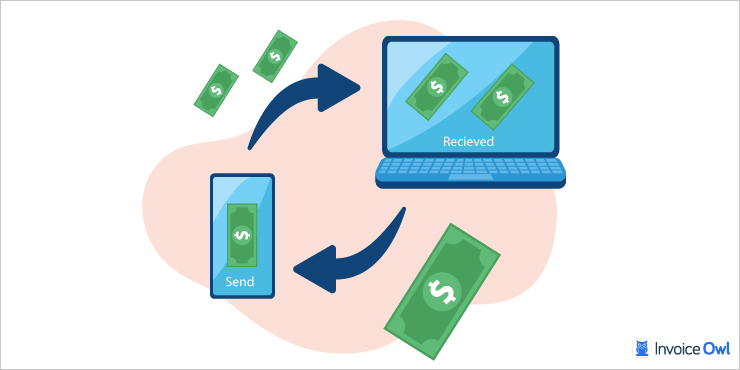
Stripe invoicing solution will create virtual account numbers to receive wire transfers from customers. This means your banking details are safe. After receiving the payment, you can send it to your bank account at your convenience. You can create and send different invoices at a time as well as manage recurring payments and invoices. All the features needed to create a professional and branded invoice are present on the app.
Stripe Pricing Breakdown
| Service | Cost |
|---|---|
| Invoice creation and sending | Free |
| Recurring invoices (up to $1M) | Free |
| Recurring invoices (over $1M) | 0.4% |
| Auto-reconcile wire transfers | $7 per invoice |
| Card payment processing | 2.9% + $0.30 |
| Wire transfer | $8 per transaction |
| Bank transfer | 0.8% + $5 |
Best Invoicing Software For Sending Paper Invoices
Zoho
Zoho Invoice
Free Invoice Software with Paper Mailing Option
Zoho invoice can prepare an invoice specifically for your brand and send it to your customers. After you have added all the necessary details and chosen your preferred template, you can proceed to complete the invoice by adding the service details and tax rate in the Zoho invoice.
You can choose to send via email after creating a Zoho invoice or schedule the Zoho invoice for another time. For customers that want it in a physical form, Zoho invoicing can print the invoice on paper and allow you to mail it to your customers for $2. The mail is sent with a return envelope. This is where the customer will mail you your payment after receiving the invoice. It is one of the best ways to send and receive payment via mailing service.
- Free tier for up to 5 customers with unlimited invoices
- Paper invoice mailing with return envelope included
- Integrates seamlessly with Zoho ecosystem
- Multi-language and multi-currency support
- Limited to 5 customers on free plan
- Payment processing requires third-party apps
- Advanced features require paid upgrade
Zoho Pricing Structure
| Plan | Price | Features |
|---|---|---|
| Free | $0/month | 1 user, unlimited invoices, up to 5 customers |
| Standard | $9/month | 1 user, unlimited invoices, up to 50 customers |
| Paper mailing | $2 per invoice | Printed invoice with return envelope |
Zoho invoicing only accepts payment from third-party apps. The customer is charged according to the payment terms of the selected third-party apps. Payments can be made through Stripe, Square, and PayPal.
Best Billing Tool That Converts Time Tracking to Invoices
Harvest
Harvest
Time Tracking Integrated with Invoicing
Harvest invoicing solution is designed to track time. It can be accessed via the tabs mentioned above. After you have selected a customer and the project to work on, the software automatically keeps a record of the hours you spent working for the customer. The time can be logged out while you're away to continue whenever you resume work.
If you're working with other members, your team progress is also logged on the system. The software may not be everyone's choice. You can check for other time tracking apps in the latter part of this guide. With the app, you can assign a task to each member of the team for different projects and monitor the progress of each member's assignment.
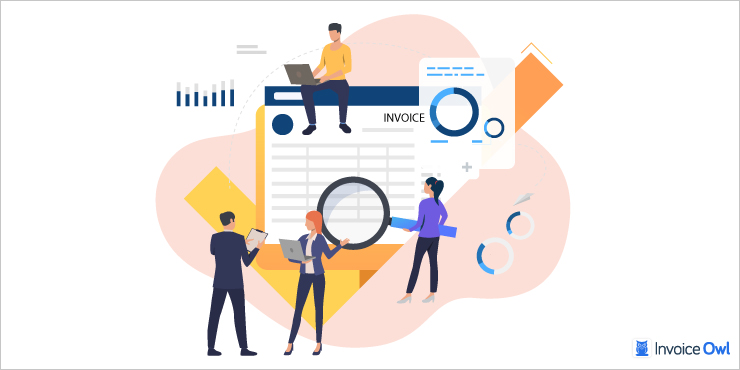
With this, you get to notice a member who's not contributing to the growth of the project. It helps you complete past projects and adjust to your performance when you have similar projects to execute. When you're done with the project, you can import the details of invoice templates for your customers to see what they're paying for. Time tracking apps are useful for teams to work together for a limited time.
- Seamless time-to-invoice workflow
- Team collaboration and monitoring features
- Project performance tracking and insights
- Free plan available for small teams
- Free plan limited to 2 projects
- Payment requires third-party integration
- May be overkill if you don't need time tracking
Harvest Pricing
| Plan | Price | Features |
|---|---|---|
| Free | $0/month | 1 user, 2 projects, unlimited invoices |
| Pro | $12/month | 1 user, unlimited projects, unlimited invoices |
Payment is only acceptable via third-party apps like PayPal and Stripe. You are charged based on the third-party app's pricing structure.
Best Invoicing and Billing Solutions for Invoicing and Accounting
InvoiceOwl
InvoiceOwl
Complete Estimate and Invoice Software for Contractors
If you are interested in closely understanding the perks of billing software, integrating InvoiceOwl will be ideal. InvoiceOwl is one of the best estimate and invoice software that helps you with the accounting aspect of your business, with the same delivery from core accounting apps like QuickBooks or Xero.
You can check how far your team has come with profit and income. You can access all areas in bold, clear, and flashy fonts that are easy to use. On the invoicing system, you can access all past and present records, including overdue invoices and estimates. Preparing and editing invoice templates are quick and apt. You can edit and import the progress of the job into invoices and estimates. It is also easy to use. Your business bank account can also be integrated into the InvoiceOwl platform.
InvoiceOwl helps with the accounting aspect of my business with the same delivery from core accounting apps. The interface is easy to use and I can access all my records quickly.
Payment Gateway Integration Options
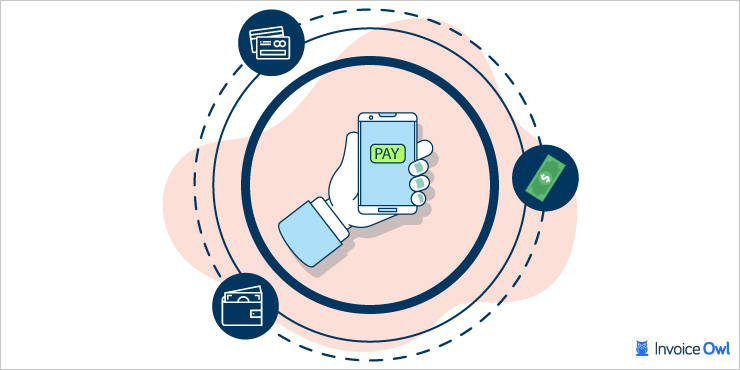
Integrating the right payment gateway with your invoicing software can significantly streamline your payment collection process. Here are the top payment apps you can integrate with your invoicing solution:
Global Payment Gateways
Checkout.com - A merchant hub offering multiple payment methods including local payments. Cloud-based and secure, it accepts payments in over 150 currencies globally.
WorldPay - Integrates with businesses of any size to accept payments from global clients. Secure transaction management from any connected device.
CyberSource - Comprehensive business management program operating under the Visa network. Supports POS terminals, web, bank transfers, digital wallets, and card payments.
EcoPayz - Global payment service accepting up to 50 currencies. High-security gateway with no customer charges and efficient chargeback handling.
Regional Payment Solutions
Sofort Banking - Works like online banking without requiring a virtual account. Direct and secure payment processing linking customers to your payment page.
Alipay - Trusted payment gateway with over 300 million users, especially reliable for customers located in China.
PayFast - Brazil's quick payment service supporting card transactions, MasterPass, Bitcoin, and other popular methods. Free account activation within 24 hours.
Mollie - Netherlands-based gateway offering fast and reliable services for local and international transactions. Easy setup within minutes with friendly customer service.
SagePay - Efficient for UK-based businesses accepting physical cards online, in-store, and over the phone. Moderate charges with reliable customer service.
Cryptocurrency Options
Coinbase - Bitcoin payment gateway enabling cloud-based digital currency transactions. Quick transfers within minutes with low transaction charges.
Bitpay - Accepts Bitcoin globally across 30 countries with 10 currencies. Safe and fast payments that can sync with invoicing platforms.
Mobile Payment Solutions
Apple Pay - Enables iOS users to make one-click payments with stored credit cards. Ideal for mobile businesses accepting payments anywhere in the world.
Square - Payment processing integrated with invoicing for retail and service businesses. Free invoicing with transaction-based fees.
Specialized Payment Solutions
Stripe - Comprehensive payment processing supporting wire transfers, bank transfers, and card payments with virtual account numbers for security.
PayPal - Popular and secure payment method accepting credit cards, debit cards, bank transfers, and PayPal balances globally.
Pin Payments - Australian-based gateway accepting all card types with multiple currencies. Fast approval and international payment support.
Barclaycard - One of Europe's oldest and most secure payment methods. Trusted credit card service integrating with business tools.
When selecting a payment gateway, consider your customer base location, preferred payment methods, transaction fees, and integration capabilities with your invoicing software. Many gateways offer region-specific advantages that can reduce costs and improve customer experience.
Ready to Streamline Your Invoicing?
Join 100,000+ contractors using InvoiceOwl to create professional invoices and get paid faster with integrated payment processing.
Try Free for 3 DaysFrequently Asked Questions
As mentioned above there are many free invoice management software solutions, but when it comes to free software, PayPal is the first option that comes to mind. It is available for creating invoices on multiple platforms. Zoho Invoice also offers a generous free tier for up to 5 customers with unlimited invoices.
The best way to invoice without any errors is to adopt an invoicing software that will allow you to create an invoice in the easiest manner. There are various invoicing software solutions that you can adopt. Choose one that matches your specific needs - whether that's wire transfer support, paper invoicing, time tracking integration, or complete accounting features.
Stripe is the best option for accepting wire transfers as it creates virtual account numbers to receive wire transfers from customers, keeping your banking details safe. It also offers auto-reconciliation features for $7 per invoice.
Yes, Zoho Invoice offers paper invoice mailing for $2 per invoice. The service prints your invoice and mails it to customers with a return envelope included for payment collection.
Harvest is specifically designed for time-based billing. It automatically tracks time spent on projects and allows you to convert tracked hours directly into invoices, showing customers exactly what they're paying for.
Summary
With different invoicing software and solutions, you should now understand which software is best for invoicing and for which specific purpose. Whether you need PayPal's widespread acceptance, Stripe's secure wire transfers, Zoho's paper invoice mailing, Harvest's time tracking integration, or InvoiceOwl's complete accounting features, there's a solution tailored to your business needs.
The key is to identify your primary requirements - payment methods, delivery preferences, time tracking needs, or comprehensive accounting - and choose the invoicing solution that best addresses those specific needs. Most platforms offer free trials or free tiers, so you can test them with your actual workflow before committing.