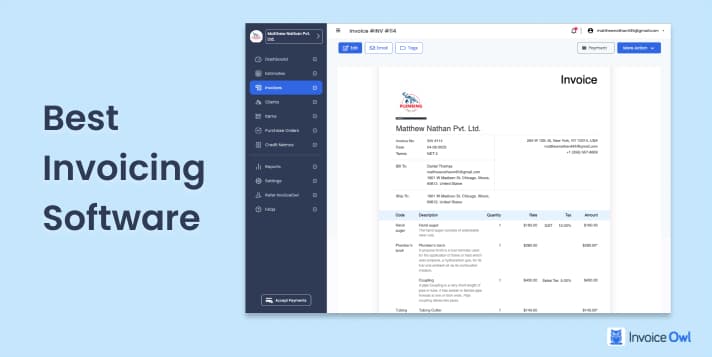
Choosing the right invoicing software can significantly impact your business operations. The best solutions help you create professional invoices, track payments, and manage cash flow efficiently while reducing administrative overhead.
This guide compares 10 leading invoicing platforms based on features, pricing, ease of use, and real user feedback to help you make an informed decision.
What You'll Learn
- 01Key features to look for in invoicing software
- 02Pricing comparison across 10 popular platforms
- 03Pros and cons based on verified user reviews
- 04Which software works best for different business types
- 05Free and paid options for every budget
How We Evaluated These Tools
Each invoicing platform was assessed based on:
- Core Features: Invoice creation, payment tracking, recurring billing, and reporting
- Ease of Use: Learning curve and interface design
- Pricing: Value for money across different plan tiers
- Integrations: Compatibility with accounting software and payment gateways
- User Reviews: Aggregated ratings from G2, Capterra, and other platforms
Quick Comparison
At-a-Glance Comparison
| # | Software | Price | Rating | Best For |
|---|---|---|---|---|
| 1 | InvoiceOwl | $9.99/mo | 4.5 | Contractors & field service |
| 2 | QuickBooks | $30/mo | 4.0 | Full accounting needs |
| 3 | Zoho Invoice | Free | 4.5 | Budget-conscious businesses |
| 4 | Square Invoices | Free | 4.1 | Retail & service businesses |
| 5 | SimplyBill | $5/mo | 4.0 | Basic invoicing only |
| 6 | Invoice2go | $5.99/mo | 4.3 | Mobile-first users |
| 7 | Scoro | $26/mo | 3.9 | Project management + invoicing |
| 8 | FreshBooks | $13.60/mo | 4.1 | Freelancers & consultants |
| 9 | Harvest | $30/mo | 4.3 | Time-based billing |
| 10 | Hiveage | $14/mo | 4.5 | Small teams & agencies |
Jump to Software
InvoiceOwl
InvoiceOwl
Best Invoicing Software for Contractors

InvoiceOwl is designed specifically for contractors and small businesses that need to create estimates and invoices quickly, often while on job sites. The platform emphasizes mobile functionality and streamlined workflows.
I can create estimates on-the-go and convert them to invoices easily. The eSign feature saves a lot of back-and-forth with clients.
QuickBooks
QuickBooks
Online Invoicing and Accounting Software

QuickBooks is one of the most recognized names in small business accounting. While it's a comprehensive solution, it may be more than what businesses need if they're only looking for invoicing capabilities.
- Comprehensive accounting features
- Large ecosystem of integrations
- Strong reporting capabilities
- Widely recognized by accountants
- Steeper learning curve for new users
- Higher price point than invoicing-only tools
- Some features locked behind expensive tiers
Can track everything from revenue to costs and monthly expenses in one place. The reporting helps identify areas to maximize profits.
Customer support response times have been inconsistent, and the pricing has increased significantly over the years.
Zoho Invoice
Zoho Invoice
Best Free Invoice Creating Software

Zoho Invoice offers a generous free tier that handles basic invoicing needs for small businesses. It integrates seamlessly with the broader Zoho ecosystem.
- Generous free tier for small businesses
- Clean, intuitive interface
- Good customization options
- Automatic estimate-to-invoice conversion
- Invoice limit on free plan (1,000/year)
- Advanced features require paid upgrade
- Reporting could be more intuitive
Easy to set up and the free plan covers everything I need for my side business.
Square Invoices
Square Invoices
Free Billing Software for Freelancers & Small Businesses

Square Invoices works best for businesses integrated into the Square ecosystem. It's free to use, with fees only charged on processed payments (2.9% + $0.30 per transaction).
- No monthly subscription required
- Professional templates out of the box
- Two-factor authentication for security
- Works across all devices
- Limited customization options
- Payment collection restricted by country
- Email deliverability issues reported by some users
Clean dashboard that's easy to use. The reminder feature for invoices is helpful.
SimplyBill
SimplyBill
Cloud-based Contract Billing Software

SimplyBill focuses on simplicity. It's a good choice for those who need to create and send invoices without additional complexity.
- Very affordable pricing
- Simple, no-frills interface
- Easy payment and tax tracking
- Limited payment gateway support
- Fewer features than competitors
- Mobile experience could be improved
Straightforward tool for checking invoice status. Does what it says without extra complexity.
Invoice2go
Invoice2go
Invoicing System for Contractors

Invoice2go emphasizes mobile invoicing with a clean interface designed for users who work primarily from their phones.
- Excellent mobile experience
- Intuitive user interface
- Multiple payment options for clients
- Good reporting features
- Limited invoice count on lower tiers
- No invoice view tracking
- Yearly report export limitations
Easy to use on mobile devices. Shows all invoices clearly with paid/outstanding status.
Scoro
Scoro
All-in-one Business Management Solution

Scoro is a business management platform that includes invoicing as part of a broader suite covering project management, time tracking, and team collaboration.
- All-in-one business management
- Good for tracking projects to invoices
- Easy to learn despite feature depth
- Higher price point
- May be overkill for invoicing-only needs
- QuickBooks integration has limitations
Great invoicing and reminders system integrated with project management.
FreshBooks
FreshBooks
Invoicing Software for Freelancers & Consultants

FreshBooks has long been a favorite among freelancers for its balance of simplicity and features. It handles invoicing, time tracking, and basic accounting.
- Clean, intuitive interface
- Built-in time tracking
- Automatic tax calculations
- Good customer support
- Client limits on lower tiers
- Auto-save functionality missing in some areas
- Setup can feel complex initially
Helps me stay organized with time tracking across different clients and send invoices from the same place.
Harvest
Harvest
Cloud-Based Time Tracking & Invoicing

Harvest specializes in time tracking and converts tracked hours directly into invoices. It's ideal for consultants, agencies, and professionals who bill hourly.
- Excellent time tracking
- Seamless time-to-invoice workflow
- Good integration options
- Clean reporting interface
- Limited phone support
- Expense customization could be better
- Gets expensive with larger teams
Simple to use with great visibility into project costs and time spent. Visual indicators for going over budget are helpful.
Hiveage
Hiveage
Invoicing Solution for Small Teams

Hiveage offers a straightforward invoicing solution with features like recurring billing and basic financial reporting, positioned as an easy entry point for growing businesses.
- Shows when clients view invoices
- Quick setup process
- Mobile invoicing available
- Email deliverability issues reported
- Customer support response times vary
- Limited accounting features
Makes sending estimates and invoices easy. Customer service has been responsive when I've had questions.
How to Choose the Right Software
Consider these factors when making your decision:
By Business Type
- Contractors/Trades: Look for mobile-first options with estimate capabilities (InvoiceOwl, Invoice2go)
- Freelancers: Consider tools with time tracking (FreshBooks, Harvest)
- Retail/Service: Payment-integrated options work well (Square Invoices)
- Agencies: Project management integration is valuable (Scoro, Harvest)
By Budget
- Free options: Zoho Invoice, Square Invoices
- Budget-friendly: SimplyBill ($5/mo), Invoice2go ($5.99/mo)
- Mid-range: InvoiceOwl ($9.99/mo), FreshBooks ($13.60/mo)
- Full-featured: QuickBooks ($30/mo), Scoro ($26/mo)
Must-Have Features
- Recurring invoicing for subscription businesses
- Multi-currency for international clients
- Payment gateway integration for faster collection
- Mobile apps for on-the-go invoicing
- Accounting software integration for bookkeeping
Ready to Streamline Your Invoicing?
Join 100,000+ contractors using InvoiceOwl to create professional invoices and get paid faster.
Try Free for 3 DaysFrequently Asked Questions
Focus on invoice customization, payment tracking, automated reminders, and integrations with your existing tools. If you bill hourly, time tracking is essential. For contractors, estimate-to-invoice conversion saves significant time.
Free options like Zoho Invoice and Square Invoices work well for businesses with basic needs. However, if you need advanced features like recurring billing, multi-currency support, or deeper integrations, paid options typically offer better value.
Most platforms charge similar rates (around 2.9% + $0.30 per transaction) for credit card processing. Some, like Square Invoices, include payment processing in the free tier with only per-transaction fees. Compare total costs based on your invoice volume and average transaction size.
Most invoicing platforms allow data export in CSV or other formats. Some offer direct migration tools from competitors. Before switching, export your client list, invoice history, and any open invoices. Check if your new platform has import capabilities.
Many accounting platforms (like QuickBooks) include invoicing. However, dedicated invoicing tools often provide better invoice customization, mobile experiences, and client-facing features. Consider your priorities: if invoicing is your main need, a specialized tool may be better.
Estimates (or quotes) are sent before work begins to outline proposed costs. Invoices are sent after work is completed to request payment. Good invoicing software lets you convert approved estimates directly into invoices without re-entering information.
For field-based businesses (contractors, consultants who visit clients), mobile apps are essential for creating invoices immediately after completing work. Office-based businesses may rely more on desktop features. Consider where you'll use the software most.
Built-in payment processing (credit cards, ACH) typically results in faster payments since clients can pay directly from the invoice. If getting paid quickly is a priority, choose software with integrated payment options or ensure it connects to your preferred payment gateway.
Summary
The best invoicing software depends on your specific business needs:
- For contractors and trades: InvoiceOwl offers mobile-first invoicing with strong estimate capabilities
- For full accounting needs: QuickBooks provides comprehensive financial management
- For budget-conscious businesses: Zoho Invoice's free tier handles basic invoicing well
- For freelancers: FreshBooks balances simplicity with useful features
- For hourly billing: Harvest excels at time-to-invoice workflows
Most platforms offer free trials, so test a few options with your actual workflow before committing. Pay attention to how the software handles your most common tasks—creating invoices, tracking payments, and following up on overdue accounts.