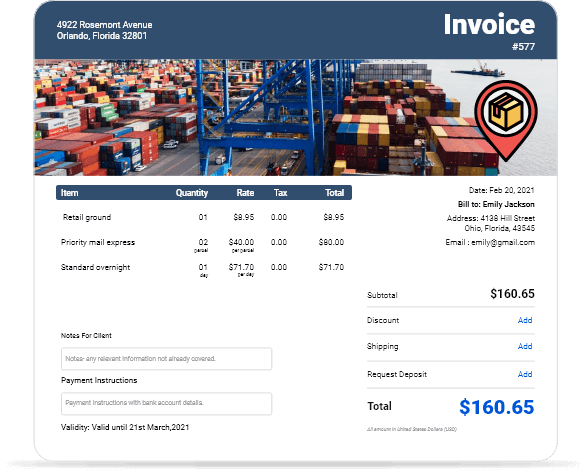
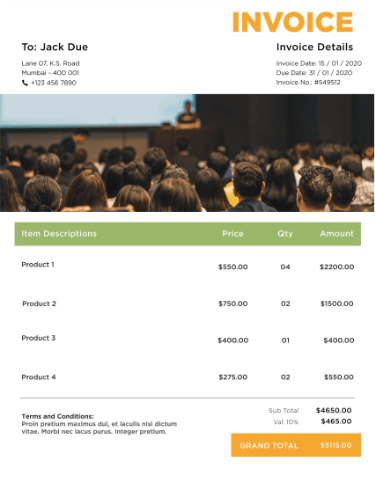
Free Downloadable Shipping Invoice Templates
Get instant access to professional shipping invoice templates in Word, Excel, PDF, and Google Docs formats. Perfect for freight companies, logistics businesses, and courier services looking to streamline billing.
 Word
Word Excel
Excel PDF
PDF Docs
Docs All
All
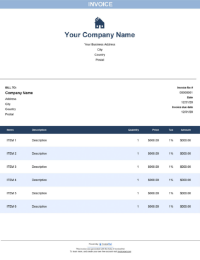
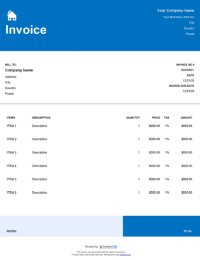
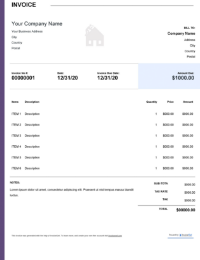
InvoiceOwl vs Free Shipping Invoice Template
See why professionals choose InvoiceOwl
Streamline Your Shipping Business with Professional Invoice Templates
Get paid faster with our customizable shipping invoice templates designed specifically for logistics and shipping businesses. Available in multiple formats including Word, Excel, PDF, and Google Docs - choose the business invoice template that matches your needs.
If manual invoice creation isn't your style, simplify your billing process with our free invoice generator for instant, professional invoices.
Essential Shipping Invoice Features
Automated Calculations Save Time and Reduce Errors
InvoiceOwl's customizable invoice templates automatically calculate service totals, taxes, and discounts. Say goodbye to manual entry errors and streamline your entire invoicing workflow with built-in automation that handles the math for you.
Professional Design That Builds Trust
Present a polished, professional image with our shipping templates featuring clean layouts and organized sections. Each template is designed to reflect your unique brand identity while clearly communicating shipping details, costs, and payment terms to your customers.
Customization Options for Your Brand
Make every invoice uniquely yours by adding your company logo, selecting brand-specific colors, and adjusting fields to showcase your business identity. This flexibility enhances your professional image and strengthens your business credibility with every transaction.
Field Customization for Shipping-Specific Details
Tailor your invoices to meet the unique needs of your shipping business. Add critical information like tracking numbers, material specifications, freight classifications, shipping methods, and labor costs - ensuring every detail is captured accurately.
How to Create Professional Shipping Invoices in Minutes
Step 1: Choose a Professional Template
Select a shipping invoice template that includes all industry-specific details like product descriptions, shipping fees, tracking information, and delivery confirmation fields.
Step 2: Add Shipping Details
Include essential information for both sender and receiver, along with complete product descriptions, pricing, quantities, and total costs. Clear details reduce disputes and speed up payment.
Step 3: Include Shipping Costs and Terms
Add line items for shipping charges, handling fees, insurance, and any additional services. Specify payment terms including due dates and late fee policies to set clear expectations.
Step 4: Add Branding Elements
Upload your company logo and apply your brand's color scheme to create professional-looking invoices that reinforce your brand identity with every shipment.
Step 5: Calculate and Review Costs
Use automated calculations to compute total costs accurately. Always double-check that all charges including shipping, handling, taxes, and additional fees are included before sending.
Step 6: Send Invoice
Once complete, send invoices to your clients via email or as a PDF document to ensure timely payments and maintain a professional paper trail.
Benefits of Using Shipping Invoice Templates
Time-Saving Features That Boost Productivity
Automate calculations and accelerate data entry with InvoiceOwl's smart features. Spend less time on administrative tasks and more time growing your shipping business with tools designed for efficiency.
Professional Templates Designed for Shipping Industry
Access a variety of professional templates customized to meet shipping industry standards. Each template includes standard invoicing fields for services, materials, and freight costs, plus customizable branding elements.
Cloud Storage for Secure Access Anywhere
Save your invoices online and access them from any device, anywhere. Cloud storage provides automatic backups, ensures data safety, and gives you instant access to your complete invoice history.
Multi-Currency Support for Global Shipping
Send invoices to international clients without currency conversion hassles. InvoiceOwl's multi-currency support makes global billing simple, reducing potential discrepancies and streamlining international transactions.
InvoiceOwl Invoicing Software vs Free Invoice Template
Wondering which solution is right for your shipping business? Compare our free invoice templates with InvoiceOwl's full-featured invoicing software to see the powerful advantages of automated invoice management.
InvoiceOwl's invoicing software lets you create, send, and manage customized shipping invoices in just minutes. Streamline your billing process and get paid faster with professional tools designed for shipping businesses.
Frequently Asked Questions
The main role of a shipping invoice is to just move the product from source to destination. On the other hand, the manufacturers use the commercial invoice or the self-employed invoice to bill the consumer for a specific product or service.
An invoice is a document that includes detailed information about the legal company name, number, customer name, and, most importantly, an invoice number. To create an invoice for small businesses, you should include all such essential information whenever any business personnel view the invoice.
No. There is no invoice number in proforma invoices. The invoice number in the free invoicing template is only for performing some legally binding values. Once a pro forma invoice is finalized, a completed invoice should be created with an invoice number.