Download Free Printable Invoice Templates
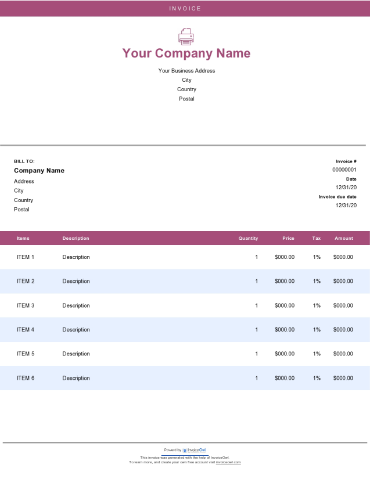
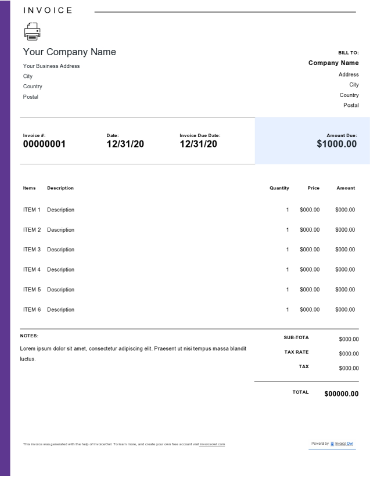
Get free printable invoice templates ready for immediate download and printing. Perfect for businesses that need professional hard-copy invoices for in-person transactions.
 Word
Word Excel
Excel PDF
PDF Docs
Docs All
All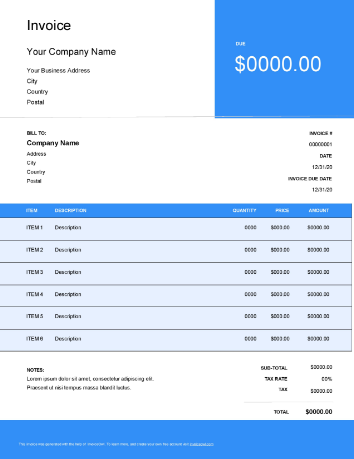
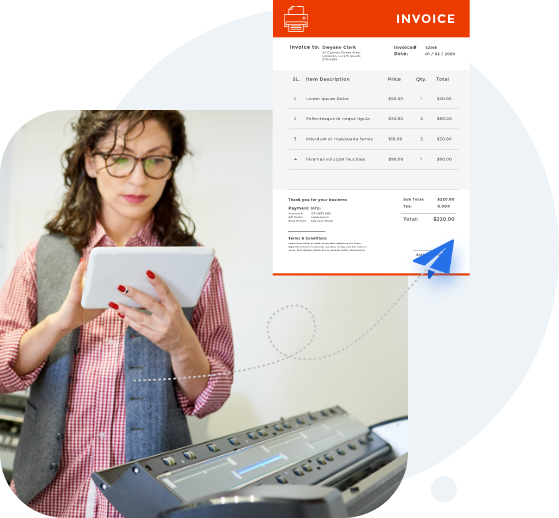
InvoiceOwl vs Free Printable Invoice Template
See why professionals choose InvoiceOwl
Professional Printable Invoice Templates for Your Business
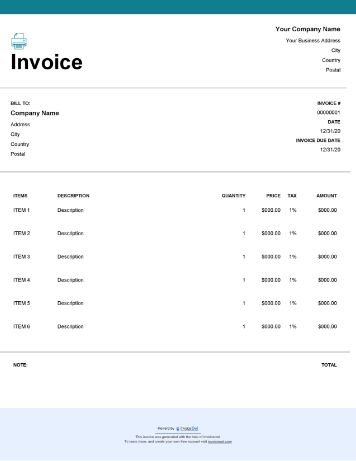
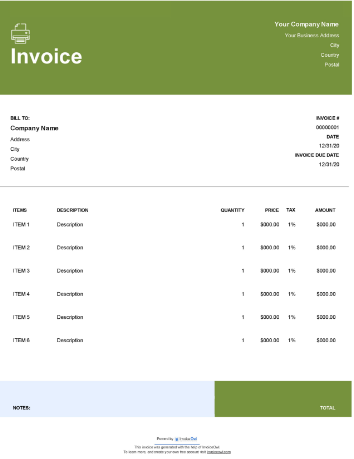
A presentable free printable invoice template helps create professional invoices instantly, ready to print and hand to clients. This personal touch makes clients appreciate your service and encourages repeat business, building stronger customer relationships.
Beyond payment requests, printable invoices can also help businesses earn money back through tax exemptions—providing financial benefits you can't afford to miss. Organized invoicing documentation simplifies tax preparation and ensures you claim all eligible business deductions.
Download and Use Printable Invoice Templates for Free
You always strive to provide the best solutions and services to your customers. In return, you deserve timely payment. That's why finding a professional, easy-to-use, and cost-effective invoicing solution matters for business success.
InvoiceOwl offers numerous free invoice templates you can try without spending a penny. Our printable invoice templates combine professional design with practical functionality.
Available invoice template formats include:
- Google Docs - Cloud-based convenience with automatic saving and easy sharing
- Google Sheets - Built-in calculations for automatic totals and tax calculations
- Microsoft Word - Complete customization with familiar formatting tools
- Microsoft Excel - Formula-driven accuracy for complex billing needs
- Adobe PDF - Universal compatibility that looks professional on any device
Creating invoices online is simpler than ever. With printable invoice templates, you can download, edit, print, and send invoices effortlessly, streamlining your entire billing workflow.
How to Create Printable Invoices
Creating professional printable invoices is quick and straightforward when you follow this simple process:
1. Select the Template
Choose the blank invoice template of your choice from our comprehensive collection.
2. Open the Invoice Template
Access the template in your preferred format—Word, Excel, PDF, or Google Docs.
3. Edit and Customize
Edit fields and customize the template to match your brand identity. Add your logo, adjust colors, and modify layouts to reflect your business.
4. Name Your Invoice
Name your invoice forms appropriately using a logical numbering system for easy tracking and organization.
5. Save the Template
Save the new template to your desktop or laptop in an easily accessible location.
6. Print the Invoice
Print the invoice online or directly from your device for professional hard copies.
7. Send to Customers
Send to customers via email for immediate delivery or mail for traditional hard copy delivery.
Editing invoice templates online makes it easy to fill in essential business information, invoice numbers, services provided, total amounts, and payment terms. It's one of the quickest ways to create and send invoices online.
The important thing is ensuring your printable invoice fits your business needs and helps clients understand exactly what they're paying for with clear, detailed line items.
Download Printable Invoice Templates For Free
Why start from scratch when you can download a printable invoice template for free? The InvoiceOwl invoicing app offers multiple templates to choose from in whichever file format you prefer—MS Word, MS Excel, or PDF.
If that's not enough, these billing templates are fully customizable too. Get them now and start creating unlimited professional printable invoices effortlessly within minutes.
Why Choose InvoiceOwl's Free Printable Templates
Organizations need faster transactions when conducting day-to-day selling of products or services—staying ahead of competitors requires efficiency. Online invoice templates provide the ideal solution for many complex business problems.
Save Time And Money
Ready-made invoice templates require only adding information and sending to clients. The structure, formatting, and calculations are already in place. Since these templates are free, you save money while accelerating your billing process—investing your resources into business growth instead of administrative overhead.
No Storage Required
Downloadable invoice templates don't require physical storage space like traditional paper filing systems. Simply download, add details, and share with clients—no file cabinets needed. Digital storage saves office space and makes finding past invoices quick and easy.
Easily Editable
Unlike fixed-field invoices or pre-printed forms, templates are easily editable. Customize them at your convenience to match your exact requirements. Adjust fields, add services, change pricing—whatever your business needs.
No More Paper Waste
With online invoice templates, you're free from using excess paper, making mistakes that create crumbled trash, and wasting resources on correction fluid or rewriting. Edit digitally before printing to ensure perfection every time.
Sending invoices is just one part of getting paid. Choosing the right invoice for your requirements is equally important for growing your company. InvoiceOwl regularly provides guidance through informative blogs.
Try other invoicing templates InvoiceOwl offers:
- Word invoice templates - Create personalized .doc invoices with extensive formatting options
- Excel invoice templates - Spreadsheet-based billing with powerful formulas
- Google Sheets templates - Cloud calculations with real-time collaboration
- Google Docs templates - Online document editing with automatic saving
How to Send Your Printable Invoice
Sending custom online invoices is super easy with an online invoice generator. Once customized, you can send completed invoices straight to clients via post or email.
1. Open the Template
Open the saved invoice template you created for the client from your organized file system.
2. Verify Details
Verify correct naming and unique invoice number to maintain accurate records and professional organization.
3. Send via Email
Email using the client's address from your business email account. Use a clear subject line like "Invoice #12345 from [Your Company]", write a brief professional message, include your company name in the email footer, and attach the invoice as a PDF.
4. Mail if Needed
For postal delivery, print out a clean copy and mail to their mailing address with proper postage and professional presentation.
Best Practices for Professional Invoices
Think of invoices as the last opportunity to give customers the best experience and differentiate yourself from competitors. Small business owners should send personalized invoices with an extra edge.
Keep All Delivery Channels Open
Consider customer convenience when invoicing. Don't limit yourself to either online or offline channels exclusively. Use free printable invoice templates that let you send invoices directly via email for immediate delivery or traditional mail for clients who prefer hard copies. Flexibility in delivery methods improves customer satisfaction.
Accept Multiple Payment Methods
Wanting printable invoices isn't an excuse to avoid online payments. Include clear payment instructions for online payments on your invoice—bank transfer details, PayPal email, payment portal links. You can even add QR codes for hassle-free scanning and payment, making it incredibly easy for clients to pay you quickly.
Free Printable Invoice Template vs. Invoicing Software
Compare free invoice templates with the InvoiceOwl invoicing app to discover which advantages matter most for your business growth and efficiency needs.
While free printable templates are excellent for getting started, professional invoicing software provides automation, payment tracking, customer relationship management, and comprehensive financial reporting that growing businesses need to scale successfully.
Frequently Asked Questions
Majorly, most invoice generators provide free printable invoice templates. InvoiceOwl offers completely free templates with no hidden fees or trial limitations. Some platforms also provide premium services at various costs with additional features. It completely depends on what you want for your business needs and what your budget allows for invoicing tools.
Different types of businesses offer different services and products, and according to that, they need to create various types of invoices. The right way to choose the right invoice type depends on the business type you're in, your industry requirements, and client expectations. Consider whether you need project-based, hourly, recurring, or specialized invoice formats.
All printer-friendly invoice templates are suitable for businesses—it only depends on the information they include in the invoices. Sometimes businesses want to include more detailed information, and based on that situation they need to choose the appropriate format whether it's PDF, Doc, or Excel. PDF is popular because it maintains formatting across all devices and looks professional, but nothing is universally "best"—choose what works for your specific needs.
Software for invoicing. It is the best alternative to printable invoice templates for growing businesses. Just subscribe to one of the affordable and easy-to-use software options. Get every single requirement for administrative tasks at your fingertips. Forget the hassle of switching between websites to complete different tasks—get administrative and accounting tasks done together with InvoiceOwl. Professional software provides automation that saves hours of work.
Using free invoice templates would primarily benefit you financially by eliminating software costs when starting out. Another benefit of using free invoice templates is simply downloading and sharing them—no need for physical storage systems. Lastly, you can alter them at your convenience, which is one of the biggest benefits of downloadable invoice templates. Customize endlessly without needing technical skills.
Here is the list of essential things to include in your printable invoice:
- Your business information - Company name, address, contact details, logo, tax ID
- Your client's information - Name, billing address, contact details
- Invoice number - Unique identifier for tracking
- Payment due date, and Invoice date - Clear timeline expectations
- Line items - Detailed description of goods or services provided
- Rate, quantity, and subtotals - Pricing breakdown for transparency
- Payment terms - Due date, accepted methods, late fees
- Taxes, Discounts, and Shipping charges - All applicable fees clearly stated
Industries that benefit from printable invoice templates include construction, freelance services, retail, healthcare, and home services such as plumbing, HVAC, electrical, and cleaning. Printable invoice templates streamline billing and provide a professional, organized way to manage transactions across all service industries. Any business that serves clients in person or prefers traditional documentation benefits from printable templates.