Free Downloadable Landscaping Invoice Templates
Download professional landscaping invoice templates for lawn care, gardening, and outdoor services. Bill clients accurately for labor, materials, and seasonal maintenance with ready-to-use formats.

 Word
Word Excel
Excel PDF
PDF Docs
Docs All
All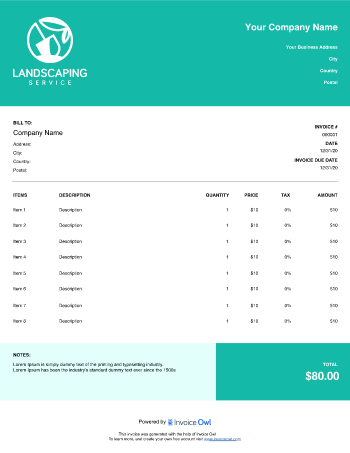



InvoiceOwl vs Free Landscaping Invoice Template
See why professionals choose InvoiceOwl
Simplify Your Landscaping Business with Professional Invoice Templates
Take control of your billing process with our free, customizable landscaping invoice templates. Available in multiple formats including Word, Excel, PDF, and Google Docs, these templates are designed to save you time while maintaining a polished, professional appearance.
Whether you're billing for residential lawn care, commercial landscape design, or seasonal maintenance, our templates help you create clear, detailed invoices that get you paid faster.
Why Landscaping Professionals Need Proper Invoice Templates
Between managing crews, scheduling projects, and delivering exceptional landscape services, administrative paperwork shouldn't slow you down. Yet creating professional invoices from scratch can consume hours you don't have.
A well-structured landscaping invoice template eliminates this bottleneck. It provides a clear, itemized breakdown of each service with descriptions, quantities, rates, and total costs, ensuring transparency that builds client trust and compliance with Fair Labor Standards Act (FLSA) requirements.
Choose Your Preferred Template Format
Our landscaping invoice templates are available in the formats that work best for your business:
Microsoft Word - Easy customization with familiar editing tools. Perfect for landscapers who want complete control over invoice design and layout.
Microsoft Excel - Automated calculations and formula support. Ideal for tracking multiple projects and managing complex pricing structures.
PDF Format - Professional presentation ready to send. Great for creating polished invoices that maintain formatting across all devices.
Google Docs - Cloud-based collaboration and access anywhere. Perfect for teams who need to access invoices from the field or office.
Whether you're invoicing for lawn maintenance, garden installations, or comprehensive landscaping projects, our templates include e-signature capabilities to accelerate approval and payment. Stay organized, project professionalism, and improve your cash flow with a single download.
Benefits of Professional Landscaping Invoice Templates
Creating invoices from scratch wastes valuable time that could be spent growing your business. Even experienced landscapers can spend 15-30 minutes per invoice when starting with a blank document. Our pre-designed landscaping invoice templates solve this problem instantly. Download once, customize to match your brand, and reuse for every project.
Faster Payments - Send professional invoices immediately after job completion, encouraging prompt payment and improving cash flow. The sooner you bill, the sooner you get paid.
Significant Time Savings - Reduce invoice creation from 30 minutes to just 3-5 minutes per invoice, freeing up time for billable work. Spend less time on paperwork and more time serving clients.
Eliminate Calculation Errors - Automated tax fields and totals minimize costly mistakes and ensure accuracy every time. No more manual math errors that cost you money.
Professional Brand Image - Consistent, polished invoices build credibility and trust with clients, setting you apart from competitors. Show clients you're a serious professional.
Better Organization - Keep all client billing information structured and accessible for easy record-keeping and tax compliance. Find what you need when you need it.
How to Create Professional Landscaping Invoices
Creating a professional landscaping invoice is simple when you follow these steps.
Step 1: Download and Add Your Business Details
Download your preferred invoice template format (PDF, Google Docs, Word, or Excel). Add your company name, logo, contact information, and business address to establish your brand identity.
Step 2: Customize Your Template Design
Make the invoice uniquely yours by adjusting color schemes and adding watermarks. This customization strengthens brand recognition and creates a memorable impression with every invoice.
Step 3: Add Detailed Service Information
List each service line item with complete information including service description (lawn mowing, mulching, tree trimming), materials and supplies used, quantity and unit pricing, labor charges (hourly rate or flat fee), and individual line item totals.
Step 4: Include Tax Details and Payment Terms
Add applicable sales tax rates to comply with U.S. tax regulations. Include any discounts offered and clearly state accepted payment methods, payment due date, terms and conditions, and late payment policies if applicable.
Step 5: Review, Finalize, and Send
Double-check all calculations and information for accuracy. Highlight the total amount due and payment deadline. Send immediately via email or your preferred invoicing tool.
Try our free online invoice generator to automate payments, add e-signatures, and eliminate manual errors, allowing you to focus on delivering exceptional landscaping services while getting paid without the administrative hassle.
Essential Components of Professional Landscaping Invoices
A professional landscaping invoice must clearly communicate your services and make it easy for clients to understand exactly what they're paying for. Include all essential elements to prevent confusion and payment delays.
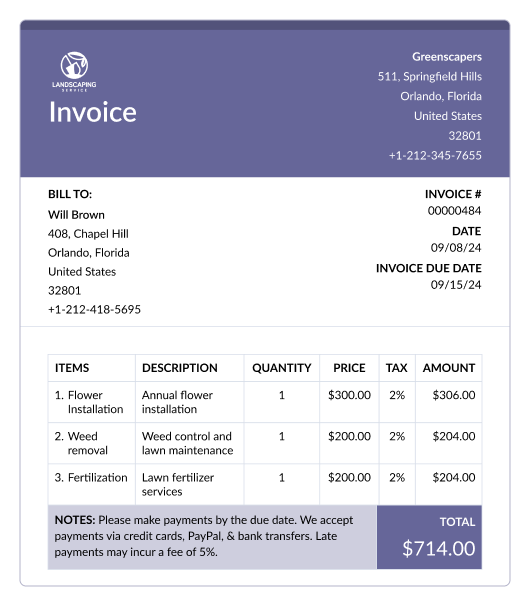
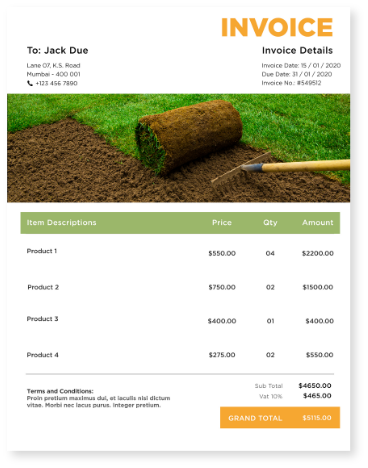
Your invoice should include your business name, logo, and complete contact information, client name and address, unique invoice number for tracking, invoice date and payment due date, itemized list of all services performed, quantity and unit price for each service, materials and supplies used with costs, labor charges and hours worked, subtotal and applicable taxes, total amount due, accepted payment methods and terms, late payment policies if applicable, and a professional thank you message.
Different Types of Landscaping Invoices
Not all landscaping jobs require the same invoice format. Different project types and client relationships call for specialized invoice structures to ensure clarity and professionalism.
Standard Invoice - Perfect for one-time services like lawn mowing, trimming, and seasonal cleanups. Use this for residential clients who need occasional landscaping work.
Recurring Invoice - Ideal for ongoing service contracts such as weekly lawn care, monthly maintenance, or seasonal gardening packages. Great for building predictable revenue.
Progress Invoice - Designed for large projects like complete landscape installations, multi-phase designs, or major property renovations. Bill clients as work progresses to maintain cash flow.
Time and Materials Invoice - Best for custom jobs including tree removal, emergency repairs, or specialty landscape design work where final costs aren't predetermined. Provides transparency for variable-scope projects.
Landscaping Invoice Compliance and Tax Considerations
Ensure US compliance with tax regulations by including the applicable sales tax rate on the invoice and detailing its calculation, such as "Sales Tax: [Rate]%. Calculated per state and local regulations." Also, verify local tax rules and keep accurate records for tax purposes.
Frequently Asked Questions
Writing a landscaping invoice is made simple with the InvoiceOwl invoice generating software. The leading landscaping invoicing software lets you create unlimited designs for your own invoice. You can create it from scratch or download the template to get started easily.
All you have to do to make an editable invoice sample is download the InvoiceOwl app. You can download an invoice template and customize it according to your branding. Yes, our landscaping invoice template is completely free to download and use. You can customize it with your business information, services, and prices to create personalized invoices for your clients.
The landscaping invoice template is available in multiple formats, including PDF, Word, Sheets, Google Docs, and Excel. This makes it easy for you to choose the format that best suits your needs and the software you use.
You can write invoices by adding information like lawn care business name, customer information, unique invoice number, method of payment, short description, contact information, applicable taxes, and payment terms.
Ensure US compliance with tax regulations by including the applicable sales tax rate on the invoice and detailing its calculation, such as: "Sales Tax: [Rate]%. Calculated per state and local regulations." Also, verify local tax rules and keep accurate records for tax purposes.