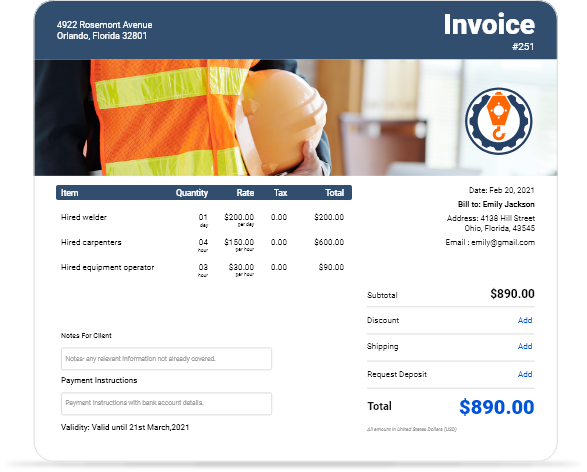
Download Free Contractor Invoice Templates
Get professional contractor invoice templates for construction, electrical, plumbing, and trade services. Simplify billing for residential and commercial contracting projects.

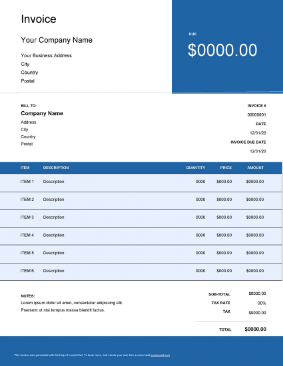
 Word
Word Excel
Excel PDF
PDF Docs
Docs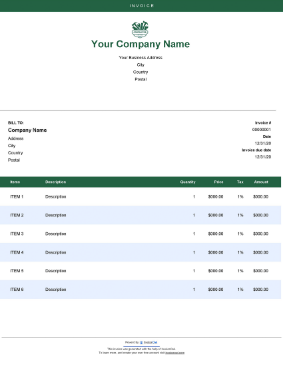
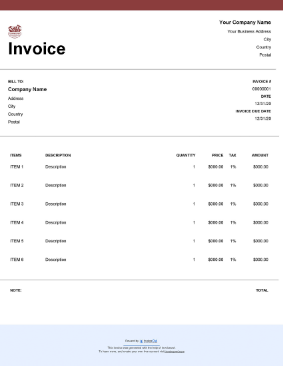
InvoiceOwl vs Free Contractor Invoice Template
See why professionals choose InvoiceOwl
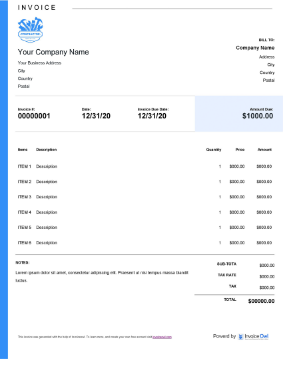
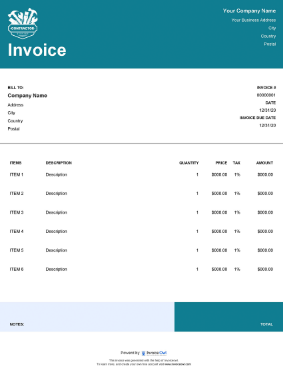
Instant Download: Free Contractor Invoice Templates
Choose from the free invoice templates from InvoiceOwl for your contracting business. All templates are fully-customizable and downloadable at your convenience. Download now and start billing professionally with industry-specific invoice formats.
Browse our comprehensive collection of contractor-specific invoice templates designed specifically for your industry, including construction, electrical, plumbing, HVAC, landscaping, and general contracting services.
How to Create Professional Contractor Invoices
Creating professional contractor invoices is quick and straightforward with our templates. Follow these simple steps to generate polished, complete invoices:
1. Download Template
Download the free contractor invoice template from InvoiceOwl in your preferred format—Word, Excel, PDF, or Google Docs.
2. Add Business Information
Add your business information with company logo, business name, license number, insurance information, and contact details including phone, email, and physical address.
3. Fill in Client Details
Fill in your client's name, concerned person's name if applicable, complete mailing address, phone number, and email address for communication.
4. Add Invoice Details
Add a unique invoice number for tracking, invoice date for reference, and expected payment date to set clear payment expectations.
5. List Services
List the detailed description of services rendered, including materials used, labor hours, equipment rental, and any permits or fees required.
6. Enter Pricing
Enter the price for each service or item, showing labor costs separately from materials when applicable. Break down charges clearly for transparency.
7. Calculate Total
Calculate the total cost including subtotals, applicable taxes, any discounts or credits, and the net amount due. Display prominently at the bottom.
8. Add Terms and Conditions
Note down clear payment terms and conditions, late payment fees or penalties, accepted payment methods, and warranty or guarantee information.
9. Mention Payment Options
Mention preferred payment options such as cash, check, credit card, ACH transfer, or payment apps to make it easy for clients to pay.
10. Send Invoice
Send the invoice to clients via email for immediate delivery or provide a printed copy for in-person transactions.
Essential Elements of a Contractor Invoice
Create structured contractor invoice templates by including the following essential information for professional, complete billing:
- Your company details - Business name, address, city, country, postal code, license number, and insurance information so clients know exactly who they're paying
- Client's business information - Full business name or homeowner name, complete address with city and postal code
- Invoice unique number and date - For tracking inventory management, invoices, and maintaining organized financial records
- Invoice due date - To prevent late transactions and eliminate the need for payment chasing
- Payment terms - Customize according to your business needs, specifying net payment periods (Net 15, Net 30, etc.)
- Description of items - Brief but complete description of goods and services provided with sufficient detail
- Quantity number - Number of items, materials used, and labor hours worked
- Price, tax, and total amount - Clear payment information including applicable taxes and the total contract work amount
- Notes - Optional special instructions, warranty information, or additional details for clients
Professional invoices with complete information reduce questions, speed up payment, and protect your business legally.
Create Custom Templates with Invoice Generator
Impress clients by sending customized invoices created with the invoice generator. Create, preview, send, and download custom professional contract invoices within clicks, saving hours of administrative time.
The invoice generator allows you to create branded templates that match your company's visual identity, ensuring consistency across all client communications.
Benefits of Using a Contractor Invoice Template
Multiple Use
Use contractor invoice templates repeatedly for every project. Just edit the details, save the updated version, send to clients, and repeat the simple process for the next job.
Saves Time
Creating a professional contract invoice takes only minutes with templates, not hours. Save time you previously wasted on manual billing and redirect that energy toward completing more profitable work.
Easy Customization
Invoice templates provide extensive customization options, letting you edit and customize invoices to fit your specific contracting needs and brand identity perfectly.
Faster Payment
Get paid faster with professional contractor invoice templates. Complete, clear information means no payment errors or delays due to missing information or unclear billing.
Detailed Invoices
Create detailed perfect invoices with contractor invoice templates. Build a foundation for more comprehensive billing that clients can understand and trust easily.
Paperless Process
Stop generating invoices manually using outdated pen-and-paper methods. Contractor invoice templates let you generate effective invoices instantly, saving paper and reducing environmental impact.
Contractor Invoice Software vs. Free Templates
Compare free invoice templates with the InvoiceOwl invoicing app to see which advantages professional software offers your contracting business for growth and efficiency.
While free templates provide excellent starting functionality, professional invoicing software delivers automation, payment tracking, customer relationship management, integrated payment processing, and comprehensive financial reporting that established contracting businesses need to scale successfully.
Frequently Asked Questions
As independent contractors, it's your right to invoice clients for work completed. Your invoicing method depends on your business branding style and personal preferences. Choose a free invoice template that matches your industry, or create your own blank contractor invoice template from scratch. Download templates, modify them to match your brand, send to clients via email or print, and maintain copies for your records.
Invoicing a contractor follows a similar process to invoicing regular clients. In contractor-to-contractor invoices, modify details according to your mutual agreements and industry standards. Details in contractor invoices often vary from general client invoices, focusing more on technical specifications and trade-specific information.
Definitely yes, sending professional invoices to clients for services provided is worthwhile and essential for business success. Invoices clarify that you're charging only for products or services actually provided—not overcharging. Clients get complete clarity about costs they're paying, helping you get paid easily and on time. Professional invoicing builds trust between you and your client, encouraging repeat business and referrals.
There are different ways to create contractor invoices, depending on your preferences and technical comfort level. Our previous articles mention many invoice creation methods suitable for contractors. Review our detailed articles to learn how to create professional invoice templates effectively. We've identified many proven methods for you to create professional invoices that keep you connected with clients and ensure timely payment for your contracting services.