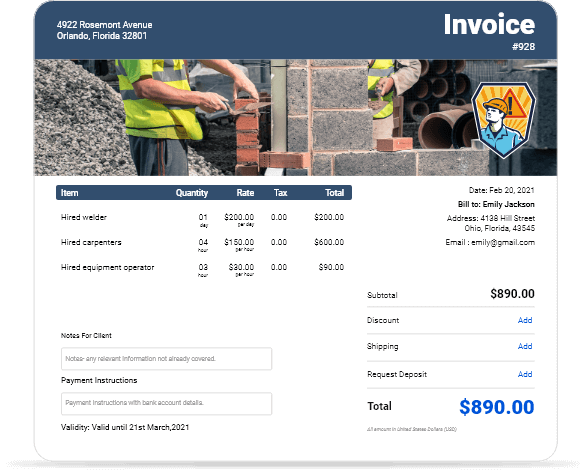
Free Contract Labor Invoice Templates for Download
Download contract labor invoice templates with built-in time tracking and hourly rate calculations. Perfect for independent contractors, laborers, and freelance professionals.
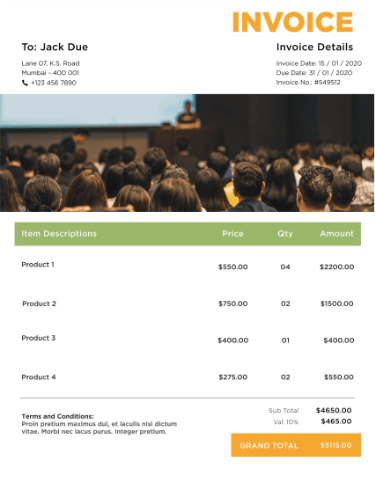
 Word
Word Excel
Excel PDF
PDF Docs
Docs All
All
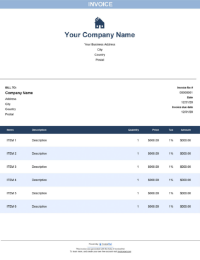
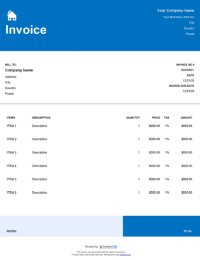
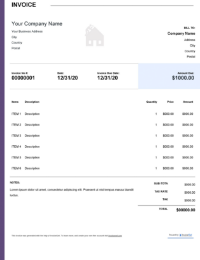
InvoiceOwl vs Free Contract Labor Invoice Template
See why professionals choose InvoiceOwl
Professional Contract Labor Invoice Templates
Finding a contract labor template with all required elements is time-consuming and nearly impossible when starting from scratch. Converting them to your preferred format adds another hassle that wastes valuable time. But worry no more—here are free, ready-made contract labor invoicing templates in four convenient formats:
- MS Excel - Built-in formulas for automatic calculations
- MS Word - Easy customization and familiar formatting
- PDF - Universal compatibility across all devices
- Google Docs - Cloud-based editing with automatic saving
Download now and start creating professional contract labor invoices immediately without any learning curve.
Try Our Online Invoice Generator
You can even try an online invoice generator for contractors that allows complete invoice personalization according to your preferences and business branding.
Couldn't find exactly what you need? No worries. Try our other templates from various industries:
- Pest Control
- Plumbing
- Construction
- HVAC
- Roofing
- Handyman
Each template is designed with industry-specific fields and terminology relevant to that trade.
Template Formats Available
Word
Word templates are easily editable and allow you to create professional invoices with flexibility in design and content. Perfect for contract labor professionals who need detailed descriptions and customizable layouts.
Excel
Excel templates are ideal for tracking calculations as they offer built-in formulas for precise invoicing and managing expenses. Automatically calculate hours worked, overtime rates, and total labor costs with pre-built formulas.
PDF templates are the most secure and universally compatible across all platforms. This format ensures professional-looking invoices without alterations, making them perfect for sending to clients who shouldn't edit the invoice.
Google Docs
Google Docs are perfect for collaboration as they offer real-time editing capabilities and can be accessed from any device. Work on invoices from job sites using your smartphone or tablet with instant cloud syncing.
Why Choose InvoiceOwl's Contract Labor Invoice Templates
Professional Templates
InvoiceOwl offers various professional templates customized to meet industry standards for contract labor. These templates have standard invoicing fields required to mention specific services along with branding elements that make your business look established and trustworthy.
Time-Saving Features
With InvoiceOwl, you can automate calculations and quicken the data entry process significantly. These time-saving features ease the overall invoice creation and sending process to respective clients, allowing you to focus on billable work instead of paperwork.
Multi-Currency Support
InvoiceOwl provides multi-currency support to send invoices to different countries without hassle. This feature is great for catering to global clients and reducing potential currency discrepancies in international contract work.
Cloud Storage
InvoiceOwl's cloud storage enables you to save invoices online and access them from any device with internet connection. This feature provides automatic backup for records and ensures data safety even if your device is lost or damaged.
How to Use Our Invoice Templates
1. Download Your Template
Select a contract invoice template for your specific requirements. Pick the format that meets your business needs best, like PDF for universal compatibility, Word for extensive customization, or Excel for automated calculations.
2. Customize the Template
Once downloaded, open the template and customize by adding your organization's details including business name, logo, contact information, license numbers, and tax IDs. Add pricing breakdown and specific client notes relevant to the project.
3. Add a Unique Invoice Number
Mention a unique invoice number to every invoice for accurate record-keeping and tracking purposes. This helps both you and the client for future inquiries and reference, making it easier to locate specific transactions.
4. Include Billable Hours and Rates
Add billable hours and hourly rates for labor services offered. This template enables you to break down services by hours or project phases for clear understanding. Include regular hours, overtime hours, and any premium rates charged.
5. Add Payment Terms and Conditions
Add specific payment terms, the due date, and any additional fees for late payments to set clear expectations from the beginning. Specify accepted payment methods and any deposit or progress payment requirements.
6. Review and Send
Always check all important information twice before sending—verify calculations, client information, and payment details. Save the updated template for future use and reference. Share the final invoice via email or a printed copy with clients for quick approval and payment.
Features of Our Invoice Templates
Understanding Labor Costs
Understanding labor costs is important for referred features because it ensures accurate pricing, helps maintain profitability, and builds transparency with clients. Clearly breaking down labor rates, hours worked, and any overtime charges helps clients see the value they're receiving.
Customizable Fields
Our invoice templates can be customized per your project needs and business requirements. You can add your business logo, client details, project-specific information, and payment terms. This feature helps you create a personalized and professional document that reflects your brand.
Built for Speed and Efficiency
With our invoice template, you get pre-designed and intuitive templates to streamline calculations and ensure consistency across all invoices. The templates are easy to use and work best for managing invoices in fast-paced environments where time is money.
Compatible Across Devices
Our invoice templates can be accessed and edited effortlessly on various devices like smartphones, tablets, and desktops. This convenient feature ensures you stay productive and efficient on the go without needing to return to the office to create invoices.
Invoice Templates for Various Industries
Construction
These invoice templates are customized for contractors and include essential features like progress billing for multi-phase projects, itemized materials with quantities and costs, and labor costs broken down by trade or task to ensure accurate invoices.
Landscaping
These templates are meant for landscapers and comprise specific services like lawn care, seasonal maintenance contracts, and project-based billing for installations or major landscaping work for complete client satisfaction.
Freelancing
Freelancers can use these templates with specific sections to mention hourly rates clearly, project deliverables and milestones, and payment schedules for phased payments to streamline their invoicing and improve cash flow.
General Services
These templates are the most versatile ones and have separate fields for adding client details, mentioning various service types, and comprehensive payment terms. Perfect for contract labor professionals who provide diverse services.
InvoiceOwl Invoicing Software vs Free Invoice Template
Compare free invoice templates with the InvoiceOwl invoicing app to discover which advantages professional software offers your business for growth and scalability.
While free templates are excellent for getting started and handling basic invoicing needs, professional software provides automation, payment tracking, customer relationship management, and financial analytics that established contract labor businesses need.
Create Professional Invoices Online Effortlessly
The InvoiceOwl invoicing software lets you create, send, and manage customized invoices for your contract labor business in just minutes. Stop wasting hours on paperwork and start focusing on completing profitable work.
Frequently Asked Questions
Yes. A written receipt is also considered legal and binding. It works the same as simple contracts like IOUs and promises of a raise. It is regarded as a legal receipt as it works under the Statute of Frauds, making it enforceable in legal situations.
An invoice is a document that includes detailed information about the legal company name, number, customer name, and most importantly, a unique invoice number. It should contain all such essential information whenever any business personnel views the invoice, similar to invoices templates for contractors. Include complete service descriptions, hours worked, rates charged, and any materials or expenses.
Yes, you can issue invoices before service delivery for contract labor work. Just download the template—here is an invoice template for consulting services. Add the essential details including business name, logo, customer information, email, address, services to be provided, list of products or items if applicable, total amount, taxes, and payment terms and conditions clearly stating when payment is expected.
One of the most important invoicing tips for contractors is to ensure that invoices are detailed with essential information like project milestones, payment terms and schedules, and timelines for work completion. To ensure accuracy and proper tracking, use professional invoicing software like InvoiceOwl. It helps you to send invoices quickly while also maintaining consistent cash flow and reducing administrative burden.
The best contractor payment methods in 2024 are bank transfers, PayPal, Stripe, Venmo, Zelle, and ACH payments. These methods are becoming popular among people for their robust security features, speed of transaction, and ease of use for both contractors and clients.