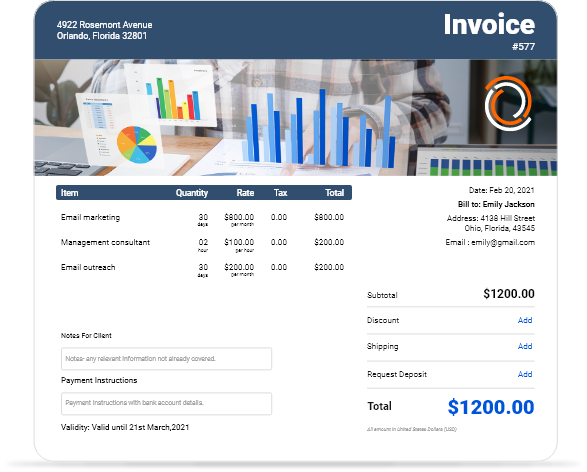
Free Commercial Invoice Templates for Download
Download professional commercial invoice templates for international trade, business-to-business transactions, and customs documentation. Available in multiple formats including PDF, Excel, and Word for seamless integration with your export-import operations and shipping requirements.
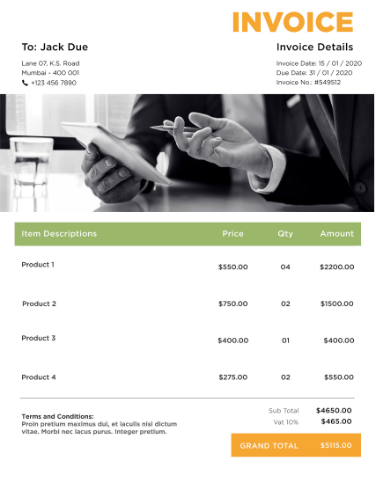
 Word
Word Excel
Excel PDF
PDF Docs
Docs All
All
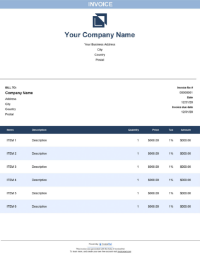
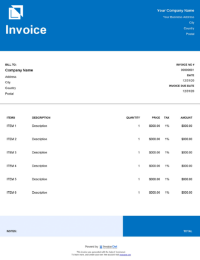
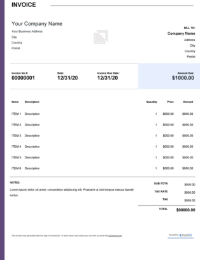
InvoiceOwl vs Free Commercial Invoice Template
See why professionals choose InvoiceOwl
Speed Up Payments with Professional Commercial Invoice Templates
Accelerate your payment collection and protect your business with InvoiceOwl's free commercial invoice templates. Our easy-to-use invoice templates represent the best way to create professional invoices quickly and accurately.
Say goodbye to payment delays and billing uncertainties. With our comprehensive commercial invoice templates, you can ensure accurate customer information, maintain secure shipment records, and establish a detailed history of all your business transactions.
Download in Multiple Professional Formats
- Google Docs for collaborative cloud-based editing
- Microsoft Word for easy customization
- Microsoft Excel for automated calculations
- Google Sheets for real-time collaboration
- Adobe PDF for professional presentation
Why Choose InvoiceOwl for Your Commercial Invoicing Needs?
Need to create effortless, professional invoices? InvoiceOwl simplifies your entire billing process and helps you manage clients with exceptional efficiency.
Automated Invoice Creation
InvoiceOwl eliminates tedious manual work by automating calculations and formatting. Save hours of effort while ensuring accuracy and consistency across all your commercial invoices.
Fully Customizable Professional Templates
Choose from industry-specific professional templates for any business use case. Easily tailor commercial invoices to perfectly align with your brand identity, ensuring every invoice reinforces your professional image.
Efficient Client Management
Manage multiple clients seamlessly with organized client records and instant access to historical invoices. Keep all your business relationships organized in one centralized platform.
Error-Free Invoice Processing
Reduce costly administrative errors through automated calculations and pre-designed fields for essential details like taxes, discounts, and payment terms. Accuracy improves client relationships and payment speed.
Simple Steps to Get Started with InvoiceOwl Templates
Step 1: Download Your Preferred Commercial Invoice Template
Download the commercial invoice template completely free in any format that suits your workflow—PDF, Excel, Word, Google Docs, or Google Sheets.
Step 2: Customize the Template with Your Branding
Update the template with your business name, logo, and complete contact information to match your brand identity. Add client information, invoice date, unique invoice number, and other essential billing details.
Step 3: Add Comprehensive Service Details
Break down services or products in detailed line items. Include clear descriptions, accurate cost per unit or hour, and any applicable taxes or discounts. Transparency builds trust and accelerates payment.
Step 4: Include Clear Payment Instructions
Specify all accepted payment methods including bank transfers, credit cards, and PayPal. State payment due dates and provide complete banking details to ensure smooth, hassle-free transactions for your clients.
Step 5: Review, Save, and Send
Double-check all details for complete accuracy. Save the final invoice and send it directly to your client via email, or print it for physical delivery—whatever works best for your business process.
Commercial Invoice Templates vs. InvoiceOwl Invoicing Software
Streamlining your invoicing process is crucial for any successful business—finding the right invoicing solution makes all the difference. While free commercial invoice templates work well for small business owners, InvoiceOwl invoicing software delivers significantly more advanced features and powerful benefits.
Create fully customized invoices that ensure prompt payments, provide real-time payment tracking updates, and maintain complete compliance with commercial requirements.
Frequently Asked Questions
A commercial invoice for shipping is one of the most important documents used in international trade. It serves as a bill of sale and is used to record the transaction details, including the type and quantity of goods, the prices, and the terms of sale.
The commercial invoice is used by customs officials to determine the value of goods being imported or exported. It is often required by banks and insurance companies to process payments and insurance claims. It is a critical document in international trade as it provides a clear and concise summary of the transaction and helps ensure that the terms of the sale are properly understood by both parties.
A standard commercial invoice includes all the package-related details including the country of origin, invoice number and date, company name and address, phone number of the concerned persons, and item details including cost, description of items, country of import, country of export, details of shipments, and carrier terms and conditions.
The main shipping documents are commercial invoices, a list of shipments, verified gross mass declarations, shipper or exporter's letter of instruction, forwarding instructions, product payment receipt, a tax receipt for the particular product if any, and other shipping documents for customs.
Yes, InvocieOwl helps you create commercial invoice templates in different file formats such as Google Docs, Microsoft Word, Microsoft Excel, Google Sheets, and Adobe PDF.
If you do not attach a commercial invoice, the customs authority at the country of destination will not allow the shipment to enter the country. This may lead to monetary loss or even worse, you may lose the shipment too.
Yes, both domestic and foreign shipments may use a commercial invoice. Customs officials need a commercial invoice to assess the shipment's worth and calculate any tariffs, taxes, and additional fees that may be owed.
Even while it may not be technically necessary for domestic shipments, a business invoice can nevertheless be utilized to give a precise and thorough description of the shipment, including the number, value, and type of items being transported.
Yes, InvoiceOwl provides free personalized commercial templates that fit your business needs and save time. You can easily personalize the templates as per your needs and references.
To create a commercial invoice, first download the commercial invoice template from InvoiceOwl. Then open the template and add relevant business information like the company name, company logo, contact information, email address, and service description. Next, customize the template by changing the template design or the font style or size, adjusting the layout or any additional field of your business. Once you have designed the template, save the invoice and send it to the client. InvoiceOwl provides templates in various formats such as PDF, Sheets, Docs, Excel, and MS Word. You can pick any according to your comfort and start creating invoices instantly.
Invoice templates offer features like customizable designs, pre-formatted fields for taxes and totals, and compatibility with multiple formats (Word, Excel, PDF). They save time, reduce errors, and ensure professionalism. Invoice templates help businesses create branded, accurate invoices quickly, improving client trust and streamlining the billing process.