Download Free Blank Invoice Templates
Get customizable blank invoice templates that work for any business or industry. Fill in your details and start billing clients professionally in minutes with Word, Excel, PDF, and Google Docs formats.
 Word
Word Excel
Excel PDF
PDF Docs
Docs All
All
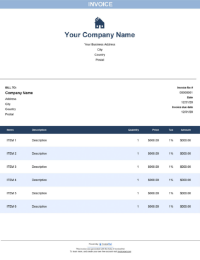
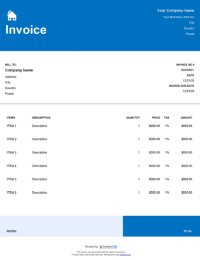
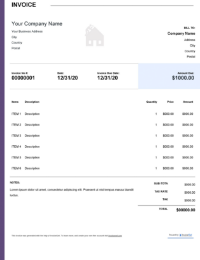
InvoiceOwl vs Free Blank Invoice Template
See why professionals choose InvoiceOwl
Free Blank Invoice Templates - Choose Your Perfect Format
Tired of creating invoices from scratch every day? Get ready-to-use free bill templates that save you time and let you focus on your projects instead of paperwork.
Maximum Format Flexibility
Choose from multiple file formats to find the perfect fit for your business workflow:
PDF templates - Professional, print-ready invoices for PDF templates. Perfect for sending to clients and maintaining consistent formatting.
Word templates - Easy editing and customization with Word templates. Ideal for businesses that need quick edits and personalization.
Microsoft Excel - Automatic formulas and calculations using Microsoft Excel. Great for businesses that need complex pricing calculations.
Google Sheets - Cloud-based collaborative invoicing with Google Sheets. Perfect for teams working from multiple locations.
Google Docs - Web-based document editing via Google Docs invoice template. Access and edit from anywhere with internet connection.
You can even try a free invoice generator with online templates to eliminate errors completely.
Top Features & Benefits of Blank Invoice Template
Customizable Layout
A blank invoice template offers the flexibility to change the format wherever needed. Adapt every invoice to meet your specific needs like logos, color scheme, and font style. Whether you're a freelancer, small business owner, or contractor, customize the template to match your brand identity.
Professional Appearance
The pre-structured fields like client information, payment terms, and due dates enable you to create a polished look that boosts your brand's professional image. A well-designed invoice demonstrates attention to detail and builds trust with clients.
Time-Efficiency
A blank template saved in different formats like Word, Excel, or PDF can be easily customized as per your project needs. This feature saves you a ton of unnecessary administrative work and lets you focus on productivity. Instead of spending hours formatting invoices, spend that time growing your business.
Universal Compatibility
Blank templates with mobile compatibility allow you to create and issue invoices from anywhere and anytime. This results in quicker communication with respective clients. Whether you're on a job site, in a meeting, or working remotely, you can invoice clients immediately.
How to Create Your Blank Invoice Template
Here's a step-by-step guide to help you create a detailed and professional invoice:
Step 1: Define the Header
Add your organization name, logo, and contact information. Also mention the client's name, address, and contact information.
Step 2: Invoice Number
Include a specific field dedicated to mentioning the invoice number, issue date, and payment due date.
Step 3: Detailed Itemized Section
Mention a detailed description of your product or services, quantity, unit price, and line total.
Step 4: Total and Tax Calculations
Add the totals section below the itemized list to mention subtotal, tax rates, and final amount. This section may also consist of adjustments like discounts.
Step 5: Payment Terms and Instructions
Mention the specific payment terms like Net 30 days to define the due date. Additionally, mention the payment methods accepted to ease the payment process.
Step 6: Personalized Note
Add a specific section to add custom notes, like any reminders or just a thank-you note.
Step 7: Template Customization
Once designed, save the template in either Word or PDF format to reuse in upcoming invoices.
InvoiceOwl Invoicing Software vs Free Invoice Template
Want to know what's best for you? Let's compare the free invoice template and the InvoiceOwl invoicing app and see the advantages the InvoiceOwl app offers you.
Built for Modern Businesses
Unlimited invoice sending with real-time tracking - Create and send as many invoices as you need and monitor their delivery and opening status in real-time.
Autofill client and item details - No repetitive data entry. Save client information once and reuse it for all future invoices.
One-click conversion - Turn estimates into invoices instantly without re-entering information or starting from scratch.
Cloud storage - Access invoices from any device, anywhere. All your invoicing data is securely stored and automatically backed up.
Autogenerated cover letters - Professional touch with every invoice. The system automatically creates professional cover letters for your invoices.
Create Professional Invoices Online Effortlessly
The InvoiceOwl invoicing software lets you create, send, and manage customized invoices for your business in just a few minutes. Transform your invoicing from a chore into a streamlined process.
Frequently Asked Questions
You shall find many blank invoice templates providers available in the market. The various kinds of professional templates that you can choose based on your business requirements. They will help you make an invoice free of cost. You can modify it and send it all for free
Yes, you can. The invoice templates from InvoiceOwl are 100% free. You can download them in any file format that is available without paying anything. For example, the legal invoice template.
Just download the template, for example, take the free commercial invoice template. Add the details (business name, logo, customer information, email, address, services, list of products or items, total amount, taxes, and payment terms and conditions)
You can use Microsoft Excel, Microsoft Word, or PDF. It gives you the freedom to modify the templates.