You can delete the account using the following steps:
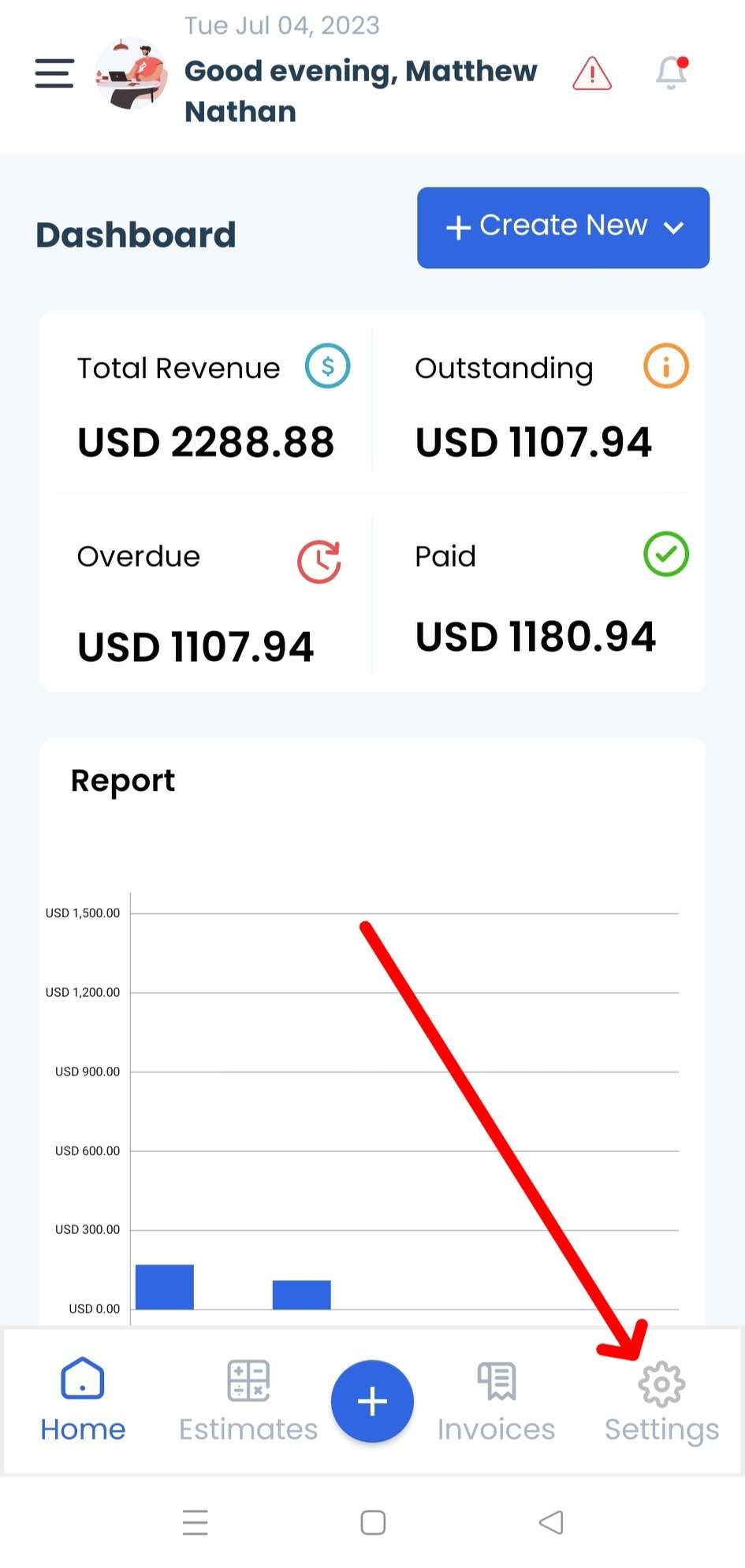
Step 1: Click on the Settings tab at the bottom of the home screen.
A screenshot is provided below for reference:
Step 2: Click on your profile name or avatar.
A screenshot is provided below for reference:

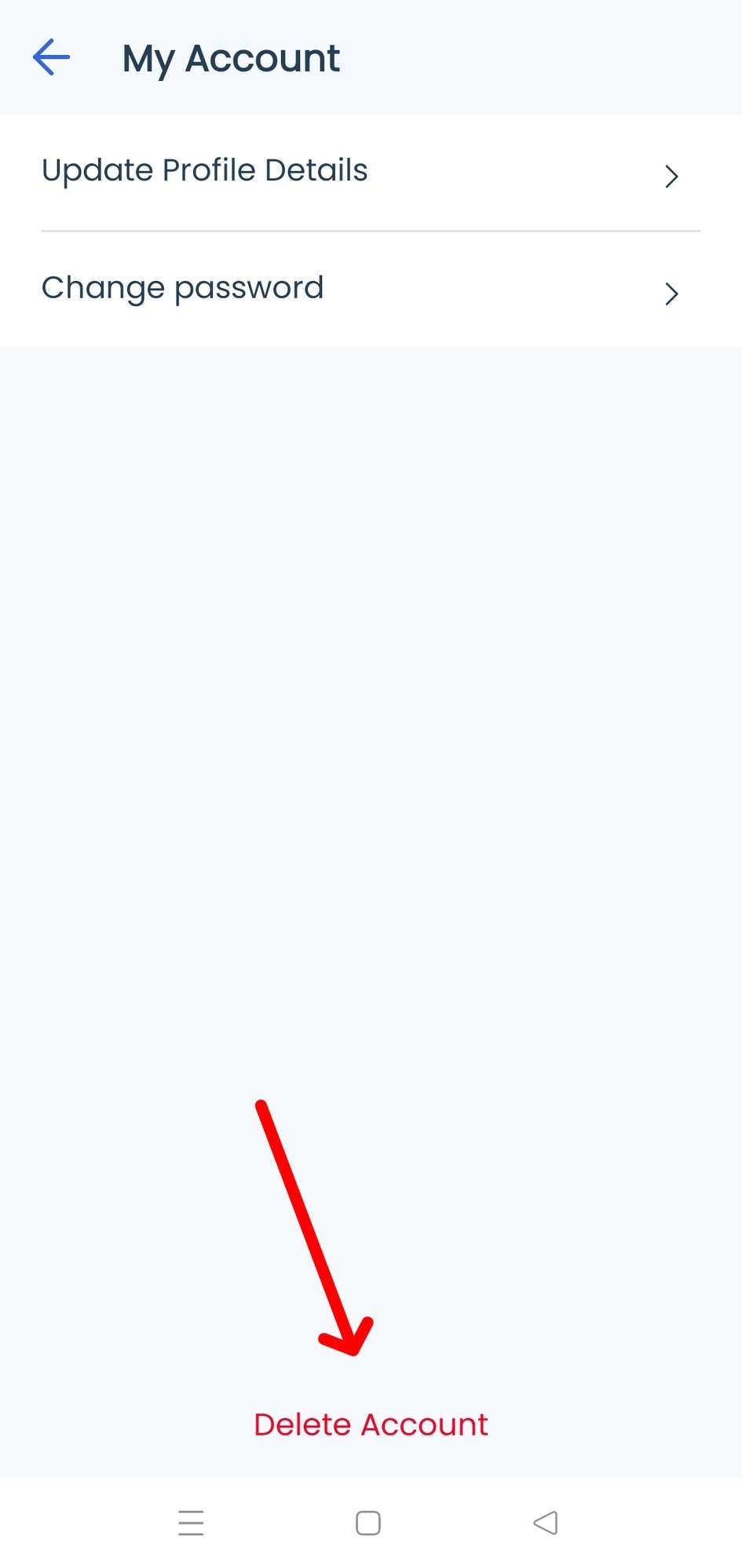
Step 3: Click on the Delete Account button to give confirmation in the popup.
A screenshot is provided below for reference: