Multi-Company Feature
Manage Multiple Companies Under One InvoiceOwl Account
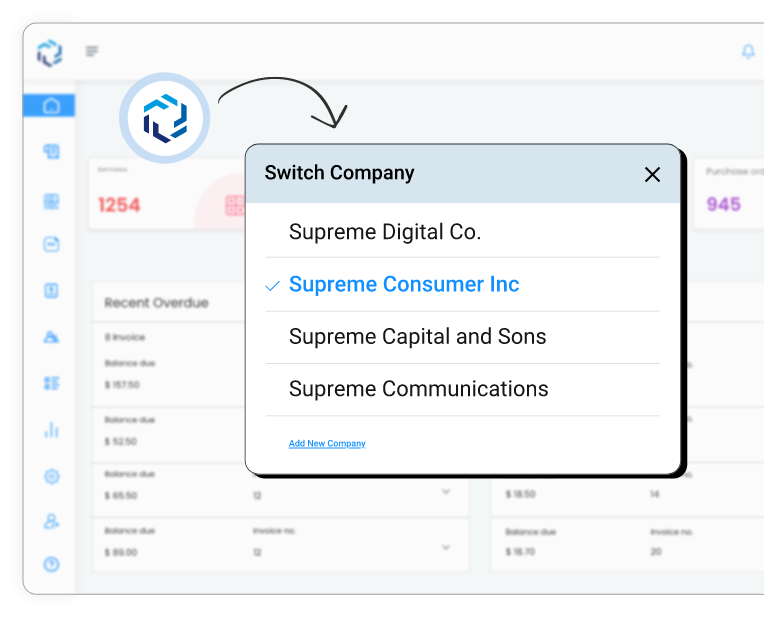
Add up to 5 companies in your single InvoiceOwl account and streamline their estimates, invoices, purchase orders, credit memos, and whatnot in just a few taps!
Multi-Company: What it is?
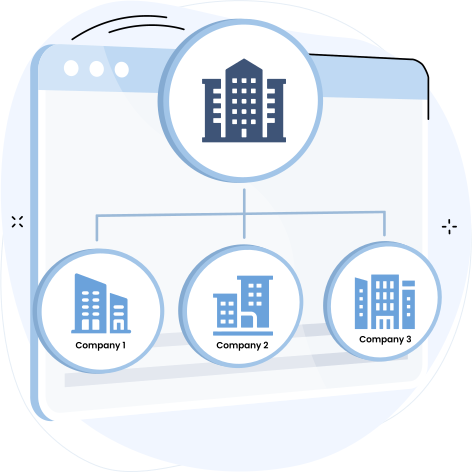
The ability to manage and access estimates & invoices for several firms or organizations within one software, as opposed to switching between different software, is known as multi-company functionality.
Note: Only Champion plan users could leverage the multi-company feature.
- When running a seasonal business
- When running different companies in the name of your spouse
- When looking for tax benefits
- When comparing multiple business performances
- When facing trouble switching platforms
Add Multiple Companies With Our Invoicing Software
Don't waste time juggling multiple software for your multiple companies. Try our multi-company functionality and experience the benefits firsthand.
Start Adding New Company
How Does Our Multi-Company Feature Benefit You?
Using InvoiceOwl to add a new company to your existing one brings you several benefits on the table.
- Streamline estimates/invoices and enhance efficiency
- Simple reporting and analysis
- Access estimates or invoices of any company anytime, anywhere
- Centralization of data
- Comparison of your companies on a single software
- Tax benefits
- Organizes and differentiates clients and line items of different businesses
- Keep seasonal businesses separate
What our clients say about InvoiceOwl
"My experience with InvoiceOwl has been great so far. I really love the app and the support I get each time I have a challenge. Thank you for making our lives easier with InvoiceOwl."
"Really like the way I can customize each estimate then invoice it."
"Has everything you need to provide proof of payments, make invoices, purchase agreements. They even keep your customers' info handy. Shows you who has paid who owes and allows you to take payments on the go."
Brands We Empower



Frequently Asked Questions
Ready to Add Other Companies to Your Single InvoiceOwl Account?
Using your one InvoiceOwl account, you can add up to 5 companies and streamline the estimates & invoicing process in clicks!