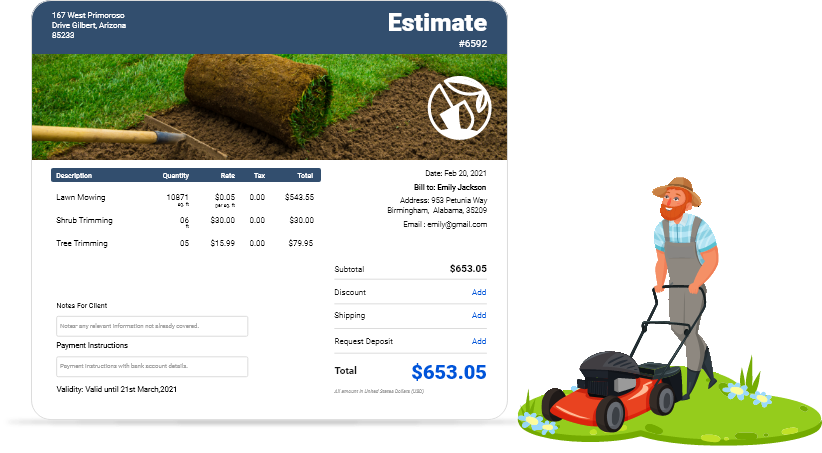
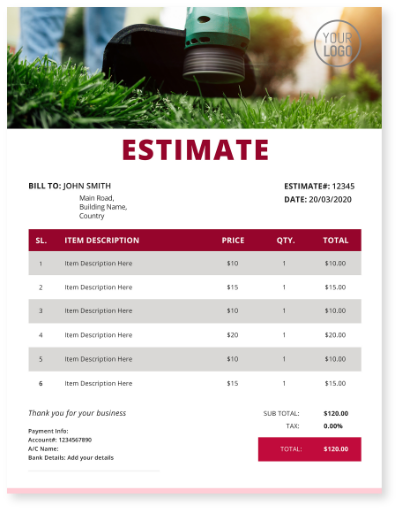
Download Free Landscaping Estimate Templates
Get professional landscaping estimate templates for lawn care and landscape contractors. Create winning quotes for homeowners, municipal clients, corporate accounts, lawn maintenance, and landscaping projects with customizable templates designed for every client type.
 Word
Word Excel
Excel PDF
PDF Docs
Docs All
All
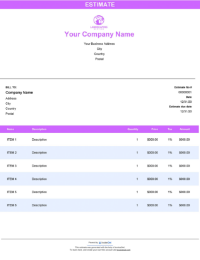
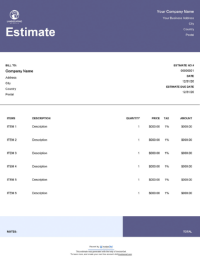
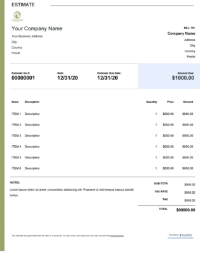
InvoiceOwl vs Free Landscaping Estimate Template
See why professionals choose InvoiceOwl
Create Unlimited Landscaping Estimates - Free Download
Win more landscaping projects with meticulously designed estimate templates from InvoiceOwl. Quote your landscaping services professionally and increase your chances of winning contracts with clear, comprehensive pricing.
Simple Three-Step Process
Download your template, customize it with your branding and project details, and you're ready to send professional estimates to clients. It's that easy.
Templates for Every Client Type
Whether you're serving homeowners, municipal clients, corporate accounts, or providing lawn care and maintenance contracts, we have specialized templates designed for your specific needs.
How to Create Professional Landscaping Estimates
Follow this proven 7-step process to create landscaping estimates that win client approval.
Step 1: Acquire Project Details
Collect all the important information regarding the project like client requirements and scope of work. Clear understanding prevents scope creep and ensures accurate pricing.
Step 2: Add Materials and Labor Costs
Make a list of all the materials required for the project along with their costs. Create an estimate of labor costs by calculating the work hours and the hourly rates.
Step 3: Utilize a Professional Template
Use a landscaping estimate template specifically designed for your field. Doing so will ensure that all the important elements are added and showcased clearly.
Step 4: Include Pricing Structures
Ensure to mention the pricing structure along with potential discounts or additional fees. Additionally, provide the total estimate of the project for complete transparency.
Step 5: Add Branding Elements
Add your business logo and branding colors to give a professional look to your estimate. This helps in gaining the trust and recognition of the clients.
Step 6: Review and Finalize
Make sure to check all the calculations twice to avoid any potential dispute. Before sending the estimate, ensure that it meets client expectations.
Step 7: Send to Client
Last, but not least, send the final estimate to the client as a digital PDF or printed document based on their preference.
Key Advantages of Landscaping Templates
Win More Contracts with Professional Presentation
First impressions matter in the landscaping industry. Professional estimates demonstrate your expertise and attention to detail, helping you stand out from competitors.
Save Hours on Every Estimate
Stop reinventing the wheel for each quote. Our templates provide a proven structure that you can customize quickly, allowing you to bid on more jobs in less time.
Ensure Pricing Accuracy
Built-in calculation fields eliminate manual math errors. Quote materials, labor, equipment, and overhead costs with confidence, protecting your profit margins on every job.
Flexible for All Project Types
From small residential lawn care to large corporate landscaping contracts, our templates adapt to projects of any size and complexity.
InvoiceOwl vs. Basic Templates
Want to know why software is better? Let's compare the free estimate template and the InvoiceOwl estimating software and see the advantages the InvoiceOwl software has to offer.
The InvoiceOwl software provides advanced features that free templates can't match. Create, send, track, and manage all your landscaping estimates from one platform. With automated calculations, cloud storage, and professional branding options, you can streamline your entire estimating workflow.
Frequently Asked Questions
To estimate the landscaping business costs with contractor estimating software, you need to consider the following costs:
- Labor costs charged on hour worked
- Material costs
- Equipment rent
- Transportation cost
- Margin for payment processing fees
- Applicable taxes
- Profit margin
Here are the simple steps to estimate a landscaping job:
- Know the scope of the job from the client
- Project overhead costs
- Estimate the amount to be paid to subcontractors
- Estimate the hours to complete and labor costs
- Include your markup
- Compute the total price
These landscaping templates are easy to edit. Download the free templates in the file format you are most comfortable with. Customize it to make it an integral part of your brand. Mention all the necessary information. And that's all. You have a customized estimate with you ready to be sent. But you can avoid all this by just using landscaping software!
These free landscaping estimate templates are available in all the major formats like Microsoft Word, Microsoft Excel, Google Docs, and PDF. If you want to download them all, you can download the zip file as well.
Yes, InvoiceOwl offers branded invoices to meet your specific business needs and maintain a professional image of your brand. Additionally, you also get enhanced security and compliance for your essential documents that prevent any data loss.
The best pricing strategy for a landscaping project is the competitive pricing. This pricing model considers the cost of materials and labor along with a fair profit margin. Apart from competitive pricing, you can also pick bundling services or offer seasonal rates to attract more clients.
The factors to be taken into consideration for labor rates consist of the required skill level, project complexity, and current rates. You should also consider the travel time and essential permits while fixing the final price.
One of the best ways to calculate the material cost of a landscaping project is to add the materials required like plants, and tools. Once added, mention the markup as per the availability and delivery cost to secure a profitable margin.
InvoiceOwl offers various time-saving benefits with features like one-click downloads and secure cloud storage. These features enable you to quickly access, edit, and send invoices without any hassle.