Free Appliance Repair Estimate Templates - Download Now
Access professional appliance repair estimate templates for all major appliances. Create detailed quotes for refrigerator, dishwasher, washer, dryer, and AC repairs in minutes.
 Word
Word Excel
Excel PDF
PDF Docs
Docs All
All
InvoiceOwl vs Free Appliance Repair Estimate Template
See why professionals choose InvoiceOwl
Win More Appliance Repair Jobs with Professional Estimates
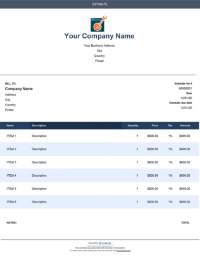
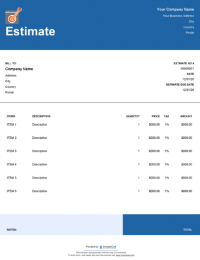
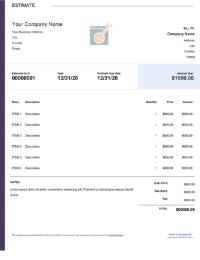
Stop spending your weekends catching up on paperwork. Our exclusive appliance repair estimate templates help you create precise, professional estimates in minutes, not hours. These templates are designed specifically for appliance repair businesses to showcase your expertise and win more contracts.
Save Time, Win More Business
Get your estimates ready to send in just a few clicks. Download these professionally designed templates and streamline your entire estimation process. Each template includes all the essential fields needed for appliance repair services, from diagnostic fees to parts and labor costs.
Ready When You Are
Choose from multiple formats to match your workflow. These templates work seamlessly whether you prefer digital or print delivery. Available in PDF, Google Docs, MS Word, and MS Excel formats, you can create estimates anywhere, anytime.
100% Free - No Hidden Costs
All appliance repair estimate templates are completely free to download. No signup required, no trial period, no credit card needed. Just hit the download button and start winning more jobs.
Step-by-Step Guide to Creating Appliance Repair Estimates
Follow this proven process to create professional-looking appliance repair estimates that clients approve.
Step 1: Download Your Preferred Template
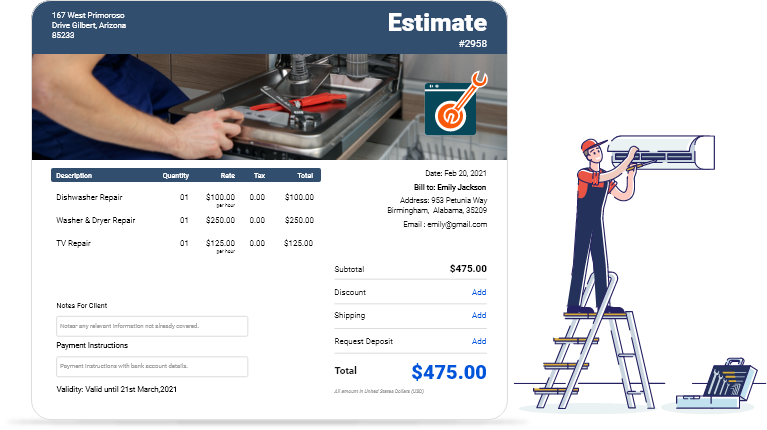
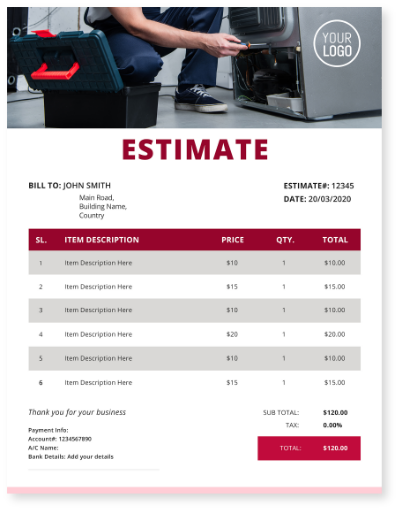
Select the template that best matches your appliance repair specialty. Choose from refrigerator, dishwasher, washer and dryer, TV, or air conditioner repair templates. Each template is customized for specific appliance types to help you provide accurate, detailed estimates.
Step 2: Add Client and Appliance Details
Fill in your client's contact information and the appliance make, model, and issue description. Include the service date and location for complete clarity. This helps prevent confusion and ensures both you and your client are on the same page.
Step 3: List Parts and Labor Costs
Itemize all required parts with their individual costs. Calculate labor costs by estimating work hours and your hourly service rate. Be specific about what parts need replacement and why, building trust through transparency.
Step 4: Include Additional Charges
Add any diagnostic fees, service call charges, or travel costs. Be transparent about all charges to build trust with your clients. Clear itemization helps clients understand exactly what they're paying for.
Step 5: Calculate Total and Add Terms
Sum up all costs and apply any applicable taxes or discounts. Include your payment terms, warranty information, and estimate validity period. Make sure to specify how long your estimate is valid and what warranty coverage you provide.
Step 6: Brand and Send
Add your business logo and contact details. Review all calculations and send the estimate as a digital PDF or printed document. A professional, branded estimate builds credibility and helps your business stand out.
Professional Features of Our Appliance Repair Templates
Multiple Appliance Categories
Templates specifically designed for different appliance types including refrigerators, dishwasher s, washers, dryers, TVs, and air conditioners. Each template includes fields relevant to that specific appliance repair type.
Customizable Format Options
Available in PDF, Google Docs, MS Word, and MS Excel formats. Work online or offline, whatever suits your business needs. Edit, save, and reuse templates as many times as you need.
Pre-Built Cost Categories
Organized sections for parts, labor, diagnostic fees, service calls, and additional charges. Everything you need is already structured, saving you time on every estimate.
Professional Appearance
Clean, professional layouts that build client confidence and help you stand out from competitors with handwritten quotes. A polished estimate reflects the quality of your repair services.
InvoiceOwl Estimating Software vs Free Estimate Template
Discover why thousands of appliance repair professionals trust InvoiceOwl. The comparison table above shows how our software transforms your estimating workflow with powerful automation and time-saving features. With InvoiceOwl, you can create unlimited estimates, track them in real-time, autofill client details, convert estimates to invoices instantly, and store everything securely in the cloud.
The InvoiceOwl estimating software lets you create, send, and manage customized estimates for your appliance repair business in just a few minutes. Send estimates with autogenerated cover letters, track when clients view them, and get paid faster with integrated payment options.
Frequently Asked Questions
To make an estimate using the InvoiceOwl appliance repair estimate template is extremely simple. Just download the preferred template in any of the available file formats (i.e. Google Docs, MS Excel, MS Word, and PDF). It can also be used as a small business estimating software for contractors.
To calculate the costs of appliance repair services, you need to calculate the cost of the spare parts to be replaced/repaired, hours it will take to complete the job, equipment rental, and the travel costs. You get the actual cost of the repair service by adding all of them. Now you need to add your profit margin to the cost before your quote your price for doing the job.
The following are essential to mention when writing an estimate for an appliance repair service: Estimate date, estimate expiry date, services to be included, equipment needed to rent, spare parts to be repaired/replaced, visiting charges (if any), labor costs, applicable taxes and discounts, the total quotation amount, and payment instructions.
No, not at all! Since these templates are available in multiple file formats you can download and edit them in the format you are comfortable with. Moreover, even if you are working with the templates for the first time, you can easily create one with no prior training.