Free Estimate Generator

Create professional estimates in minutes. Win more jobs with polished proposals.

100% FreeInstant PDFNo Sign-up
Item 1
$
$0.00
Preview
Logo
Company
ESTIMATE
#001
2026-01-02
Bill To
Client
ItemQtyRateTotal
Item
1$0.00$0.00
Subtotal$0.00
Total$0.00

Want to save, send & track?

Try InvoiceOwl Free →
Top Benefits

Why Use Our Free Estimate Generator?

Efficiency

Automation plus standardized templates work together to make your estimate business processes efficient and streamlined.

Professionalism

Clients appreciate polished estimates, contributing to a positive perception of your brand. Build trust with professional documents.

👁️

Visibility

Centralized access to estimates with quick updates ensures better communication and understanding among clients.

📊

Easy Tracking

Get informed whether the estimate is pending, approved, or rejected. Monitor every estimate you create with InvoiceOwl.

📤

Quick Sharing

Just one click and your estimate is sent. This results in timely communication and fast decision-making.

Error-Free

In-built formulas with automated calculations help reduce errors and inaccuracies in your estimates.

💰

Cost-Efficient

Streamline your operations, reduce costs associated with manual paperwork, and allocate resources efficiently.

⏱️

Time-Savvy

Pre-designed templates let you feed details and create estimates in a flash, freeing up valuable time for core business tasks.

🎯

Consistency

Consistent formatting reduces the risk of incorrect layouts, missing information, or discrepancies in presentation.

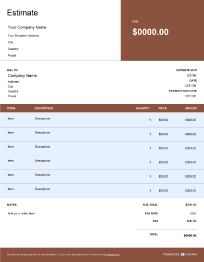
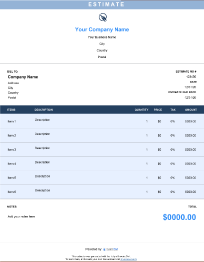
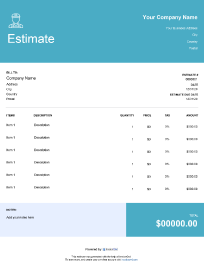
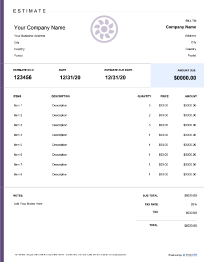
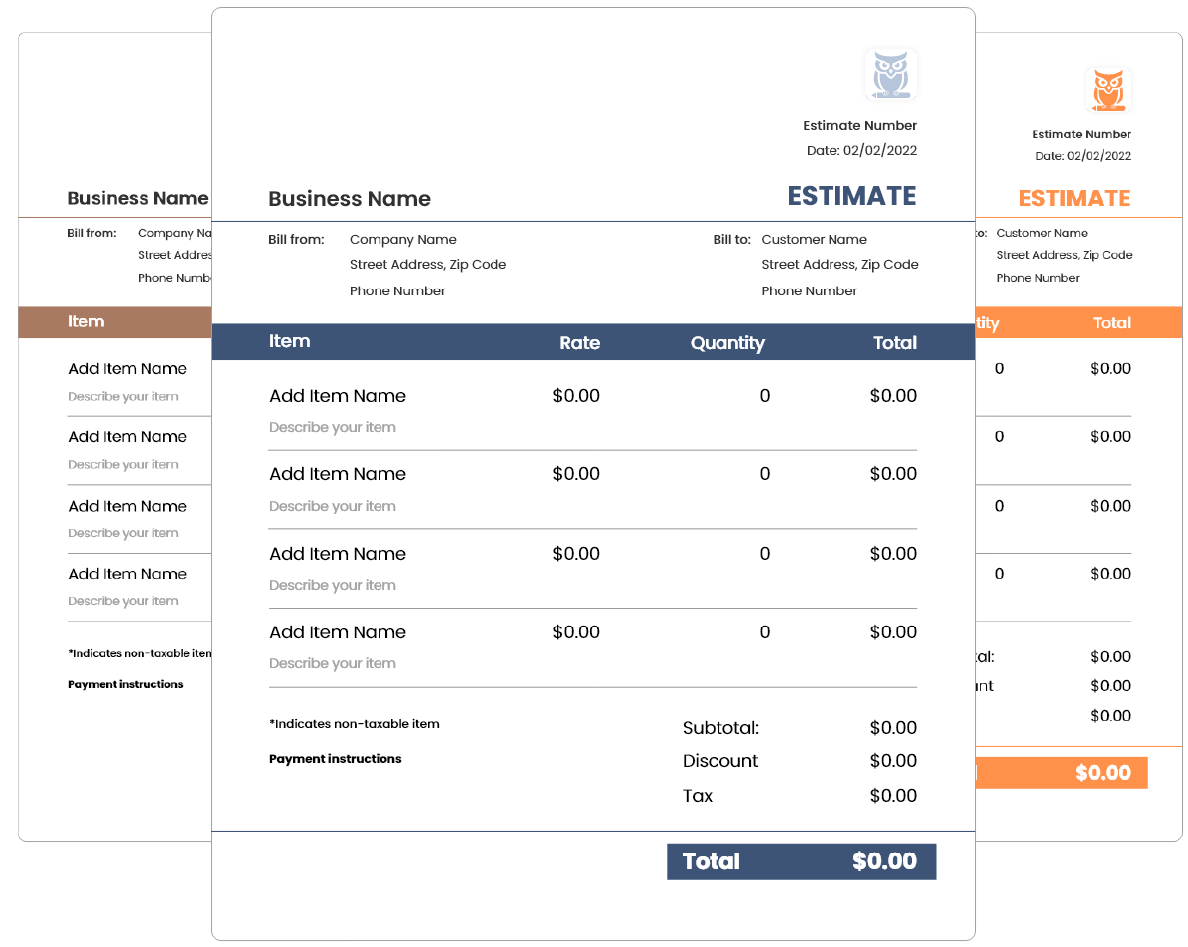
Estimate Templates

Choose from our collection of professional templates

Why Should I Use an Estimate Generator?

Here are compelling reasons why using an estimate generator can make a significant difference in your estimating process:
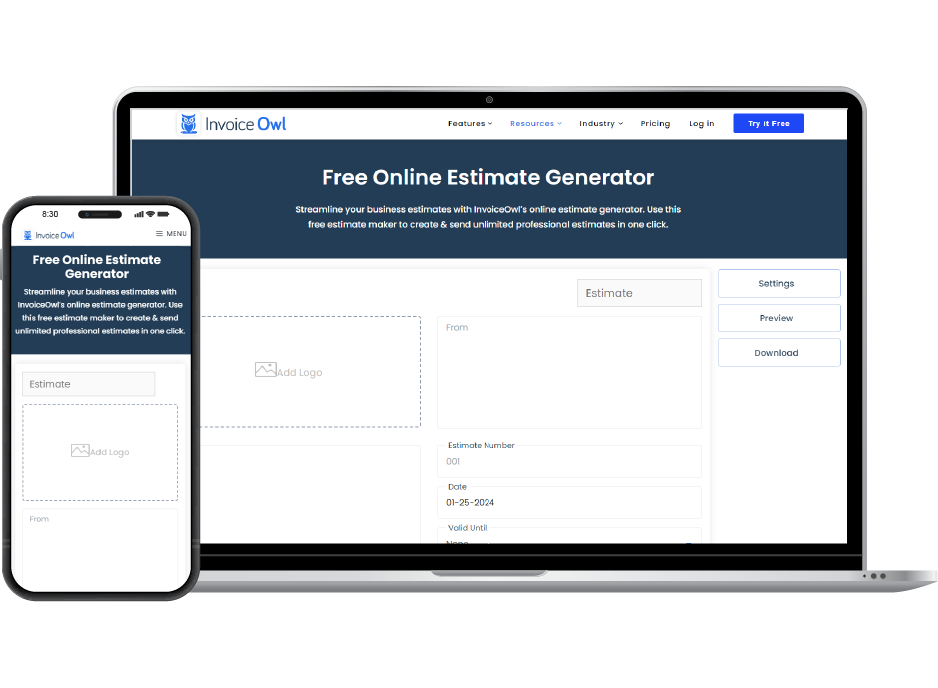
Multiple customizable estimate templates available
Adjust the logo position to your preference
Access anytime, anywhere
Preview estimates before sending them to the client
Automate calculations for efficiency
Enjoy 100% editability
Download estimates in PDF format
Directly send to clients via email address
Why use an estimate generator

How to Create an Estimate in 8 Simple Steps

1

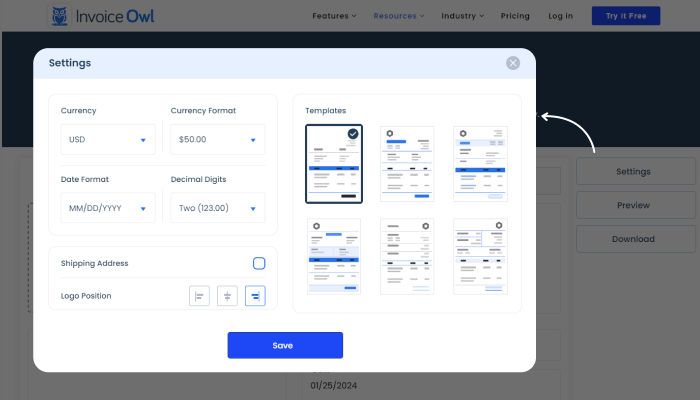
Select and Customize Template

Click on 'Settings' to customize your estimate template. Choose currency, currency format, date format, decimal digits, logo position, and shipping address category.
2

Add Company Logo

Upload your business logo by clicking the 'Add Logo' box. Use PNG, JPG, or SVG format. Adjust logo position in the Settings tab.

3

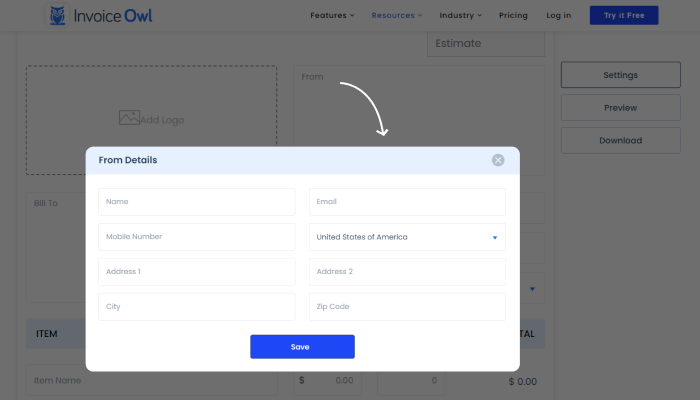
Add Company Details

Enter your business name, address, contact details, and email address in the 'From' section to identify your company.
4

Add Customer Details

Enter customer's name, billing & shipping address, contact number, and email in the 'Bill To' field.

5

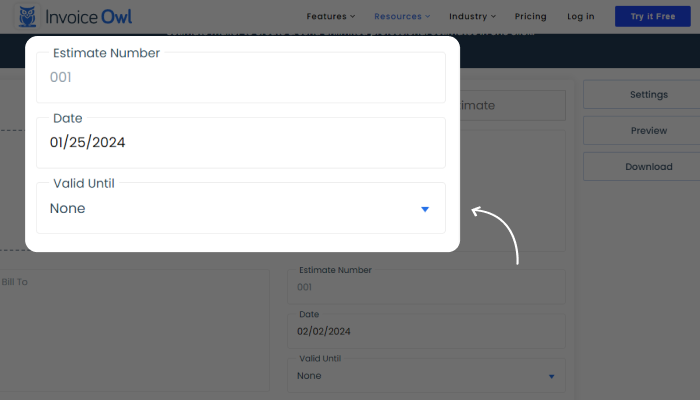
Enter Estimate Details

Add estimate number, estimate date, and valid until date for easy recognition and reference.
6

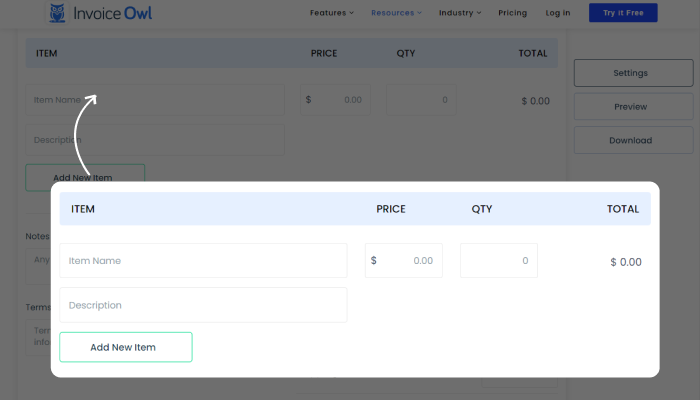
Add Line Items

Enter item name, description, price, and quantity. Add as many items as needed - calculations are automatic.
7

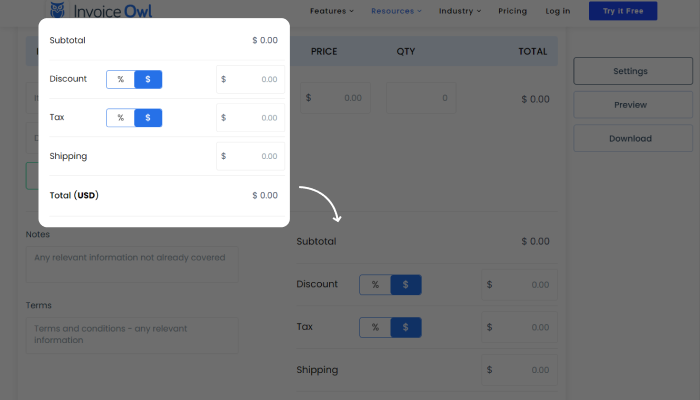
Calculate Balance Due

Add any discounts, applicable taxes, or shipping charges. Enter as percentage or fixed cost.
8

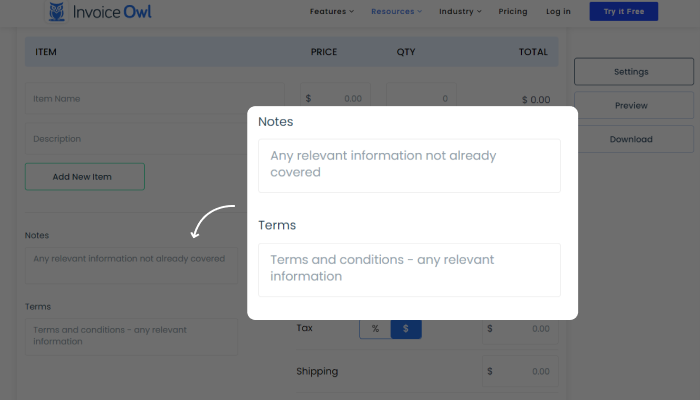
Add Notes and Terms

Add payment terms, conditions, or a personal note to guide customers on next steps.
11 Must-Have Items

Essential Elements to Include in an Estimate
1
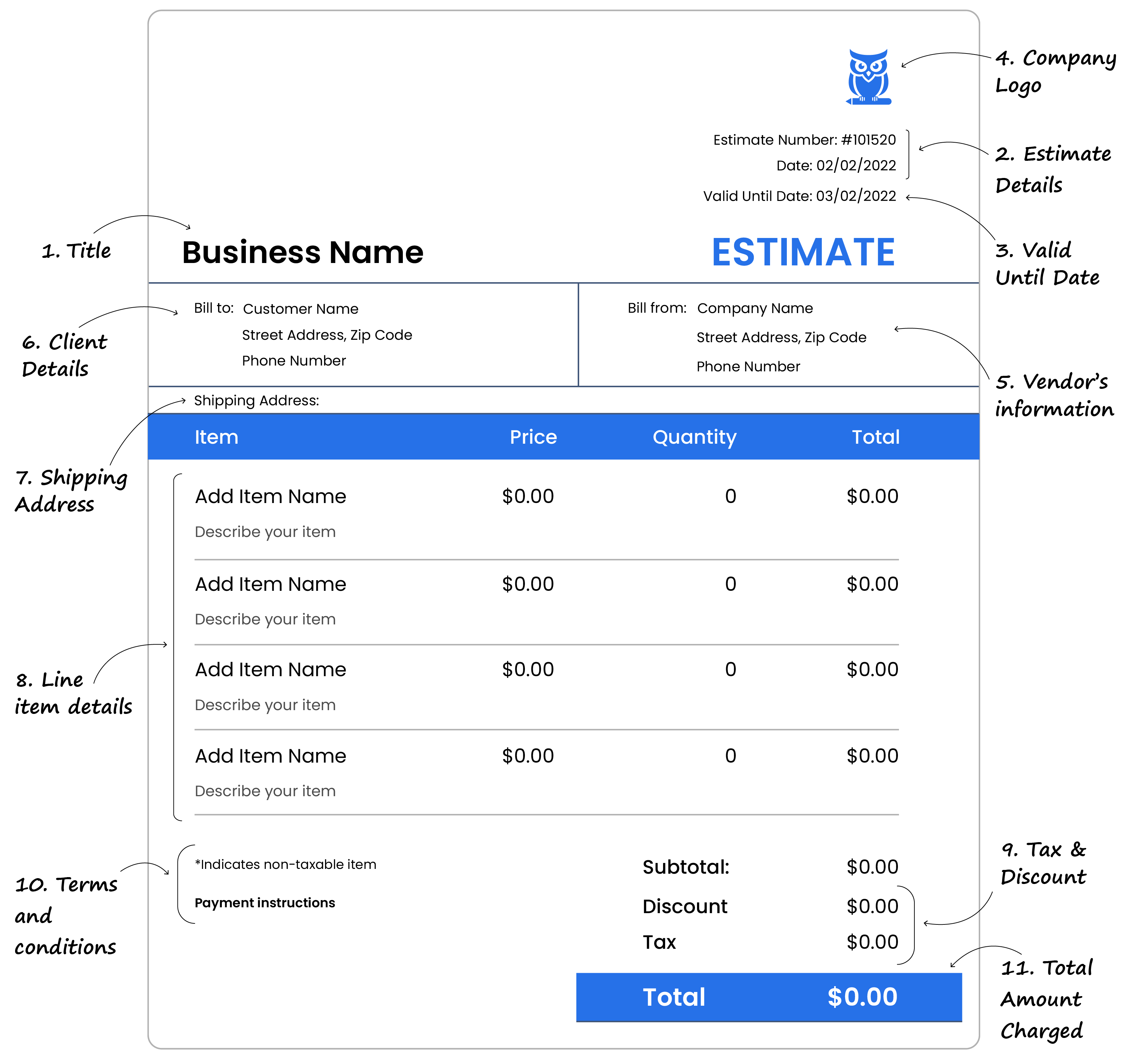
Title
Label the document as "ESTIMATE" to acknowledge its purpose
2
Estimate Details
Include estimate number, issue date, and due date for easy identification
3
Valid Until Date
The last date for signing the contract at the quoted cost
4
Company Logo
Helps customers verify the estimate's genuineness
5
Vendor's Information
Seller's name, address, contact, and tax registration number
6
Client Details
Buyer's name, address, and contact details
7
Shipping Address
The delivery address for goods/services (may differ from billing)
8
Line Item Details
Products & services with name, description, quantity, price per unit, and total
9
Discount, Taxes, and Costs
Any discounts, applicable taxes, or additional costs like shipping
10
Terms & Conditions
Payment terms or conditions requiring attention
11
Total Amount
The total estimated amount charged
Required elements to include in an estimate
Expert Tips

10 Best Practices for Creating Professional Estimates
Define project scope and requirements to set clear expectations
Maintain transparency by breaking down details of goods or services
Make estimates customer-centric rather than self-serving
Include appropriate contingencies - 10-20% buffers for unexpected issues
Account for seasonal and regional variations affecting prices
Save backup copies before sending to clients
Leverage digital tools like InvoiceOwl for accuracy and precision
Get multiple vendor quotes when outsourcing project tasks
Document any assumptions made during estimation
Analyze past projects and historical data to improve accuracy
Best practices to create a professional estimate
Follow these best practices to win more jobs

Invoice vs Estimate vs Quote

Invoice

Purpose
Financial evidence of a transaction between buyer and seller. A formal request for payment.
Binding Status
Legally binding - represents the final amount owed after work is complete.
Timing
Sent after the work is completed or goods are delivered.

Estimate & Quote

Estimate
Less formal than a quote. Contains anticipated costs and the buyer may negotiate on pricing.
Quote
A commercial document that legally binds the buyer once agreed upon. Contains fixed prices.
Timing
Sent before work begins to help clients understand expected costs.
Discover the Difference

Free Estimate Generator vs. InvoiceOwl

Feature
Free Generator
InvoiceOwl
Complexity
Simple
Full-Featured
Customization
Limited
Extensive
Editability
Limited Edits
Fully Editable
Multiple Features
Basic
Advanced
Multiple Templates
Few
Many
Data Security
Basic
Enterprise-Grade
Client Reviews
Customer Database
Estimate Tracking
Convert to Invoice

Ready to Win More Jobs?

Upgrade to InvoiceOwl for unlimited estimates, instant invoice conversion, and professional tracking - all in one powerful platform.

Start Free Trial

Frequently Asked Questions

In accounting, an estimate refers to an approximation of an amount that cannot be certainly determined. Estimates are not certain and are often prone to change. Businesses use estimates to account for uncertainties when exact figures are difficult to measure.
To create an estimate, you need company and customer details, estimate details (number, date, validity), an itemized list of products and services, applicable taxes or discounts, and rates for each good or service delivered.
Yes, customization is easy with InvoiceOwl. You can easily edit, save, preview, or send the estimate directly to the client at any time.
Click the 'Send' button and confirm the 'From' and 'Bill To' email addresses. Once verified, hit send and your estimate is delivered instantly.
Yes! With InvoiceOwl, you can automatically convert an estimate into an invoice once accepted by the client. You can also request partial or full deposits and track payment status.
Click on 'Settings' in the top right corner to customize your estimate template. You can modify currency, currency format, date format, logo position, and shipping address category.
Yes, InvoiceOwl lets you download generated estimates in PDF format. With the full app, you can also download in XLS or CSV formats.
Yes, the estimate generator allows you to create estimates in multiple currencies - ideal for businesses operating in diverse markets or dealing with international clients.
Yes, by signing up with InvoiceOwl and choosing a plan (Growth at $9.99 or Champion at $23.99), you can save all your business and client data securely.
Input accurate information and double-check details before finalizing. Gather complete project details, use accurate measurements, and account for all costs including contingencies.
Send an estimate when potential clients want to know the general price point of the products or services you offer, before committing to a purchase.
No, estimates are not legally binding. They represent anticipated costs and can be negotiated before finalizing a contract.
Estimates are sent to potential clients as approximations of total costs. Invoices confirm a purchase made and are legally binding, raising a payment obligation.

Create Your First Estimate Now

Join thousands of contractors and small businesses who win more jobs with professional estimates from InvoiceOwl.

Get Started Free