
![What is the Accounts Payable Process? [Definition, Challenges & Full Cycle]](/images/2021/06/accounts-payable-process.jpg)
Key Takeaways
- 01Accounts payable is responsible for paying suppliers and vendors for goods and services purchased by the company
- 02The AP process involves four core steps: receiving bills, reviewing details, checking records, and making timely payments
- 03Common challenges include extreme paperwork, manual data entry, lengthy approvals, and lack of visibility
- 04A full-cycle AP process involves purchase orders, receiving reports, and vendor invoices working together
- 05Using invoicing or accounting software can significantly streamline the accounts payable workflow
As a business owner, how do you manage the finances with your clients and suppliers? Obviously, by creating and managing invoices time-to-time and getting paid faster.
If you're running a small business, it's likely that your customers will pay invoices as soon as possible. On the other hand, if you have multiple invoices that are pending, you'll add them to accounts payable to be paid at a later date.
So likewise, you must be ready with the accounts payable process, where your accounts payable department will take care of identifying and completing the outstanding payments timely and safely.
Here, we'll take a look at the basic workflow process, challenges, and even the working of an accounts payable cycle to make it easy for you to deal with accounting perspectives.
So, let's start with its definition.
Table of Content
- What is the Accounts Payable Process?
- What are the Challenges Faced by Accounts Payable?
- How Does the Accounts Payable Process Work?
- Full Cycle Accounts Payable Process
- FAQs
- Conclusion
What is the Accounts Payable Process?
Before understanding the accounts payable process, you need to know what accounts payable means.
Accounts payable means money that a business owes to its suppliers. The accounts payable (AP) process is the process of accounting and paying your payments. It is immensely important since it involves nearly all of the company's payments outside of payroll. It is responsible for paying suppliers and vendors for goods and services purchased by the company.
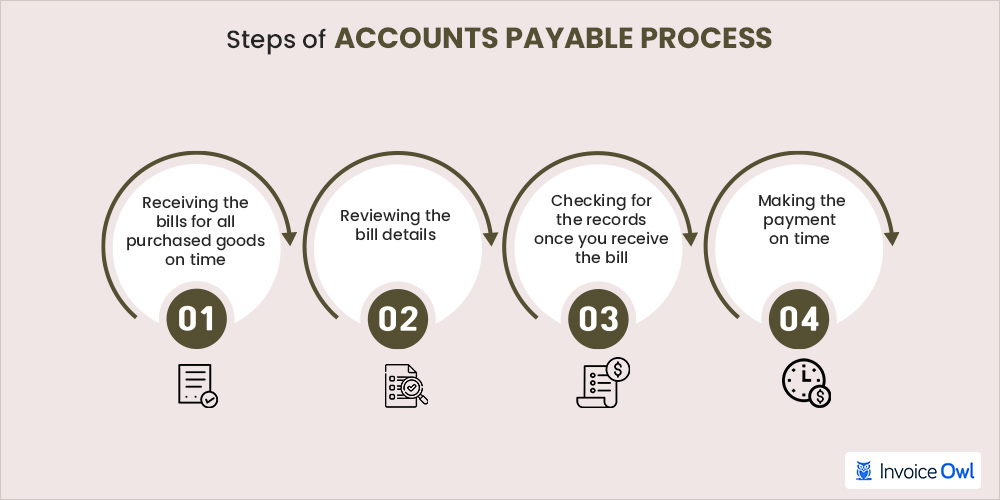
And it basically has four steps, which are:
Step 1: Receiving the bills for all purchased goods on time
The bill helps trace the quantity of what was received. You can even know the validity of the bill during this time too.
Step 2: Review the bill details
Make sure that the vendor invoice must have a proper vendor name, payment authorization, date, and verified and matching requirements to the purchase order.
Step 3: Checking for the records once you receive the bill
Ledger accounts need to be active, especially when dealing with received bills and expense entries. You might require managerial approval at this stage with the approval hierarchy attached to the bill value.
Step 4: Making the payment on time
All payments should be processed before or at their due date on a bill, as agreed upon between a vendor and a purchasing company. Required paper documents need to be prepared and verified. This is one of the best practices as it strengthens your relationship with the vendor.
The accounts payable process is handled by:
- An accounts payable department in a large corporation
- A small staff in a medium-sized company
- A bookkeeper or perhaps the owner of a small business
Even though this procedure may vary from company to company, the purpose of the accounts payable cycle remains the same - to avoid any fraudulent invoices and prevent paying double payments.
What are the Challenges Faced by Accounts Payable?
One of the biggest challenges that the AP department structure normally faces is process optimization. It means that they need to perform hard work manually to get positive results. However, there are some common challenges that the AP department faces. So let's discuss them.
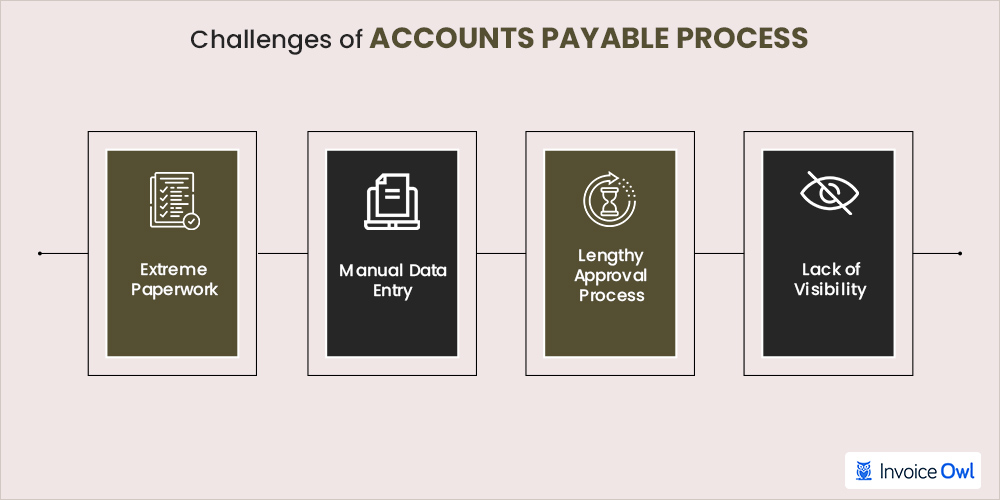
1. Extreme paperwork
AP department normally receives half of the invoices in paper format. The most challenging part is sorting, organizing, and processing paper files.
It is needless to say that this is a time-consuming process for employees that could otherwise be working on higher-value tasks.
2. Manual data entry
AP teams take a lot of time just to collect information from multiple sources and formats. It causes more chances of data entry errors and misplaced documents that can be easily avoided by automatic invoice data capture.
3. Lengthy approval process
The approval process depends on the payment amount you're charging. Also, invoice approval is required from different stakeholders outside of the AP department.
The extra step in the AP process flow chart could increase the cycle time, especially if approvers cannot easily access the approval workflow process and have internal controls.
4. Lack of visibility
Paper and manual processes prevent AP teams from efficiently analyzing the company's cash flow statement. If you are not aware of what stage each invoice is in, it increases the risk of late invoice payments. This, in turn, makes it difficult to calculate cash flow accurately and analyze the company's financial health and cash flow statement.
Automating your AP workflow with invoicing software eliminates most of these challenges by centralizing invoice data, streamlining approvals, and providing real-time visibility into your payment status.
How Does the Accounts Payable Process Work?
There are a few things you need to do in order to prepare and process the accounts payable workflow properly.
Create your chart of accounts
Before you start your accounts payable procedures, you need to create a chart of accounts. It is where you can store all your accounting transactions, and AP is not an exception.
If you want to track your account payable expenses more accurately, you need to make sure that you add all your additional accounts in the accounting calculation software to get a clear chart of accounts.
You can also add your chart of accounts in Microsoft Excel if you are not using an online tool or software.
Set up vendor information
Having the right set of the vendor information is equally important as having up-to-date accounting transactions.
If you have just started your firm, you must set up your vendors' information in your blank Google spreadsheet or use your Microsoft Excel worksheet before you start evaluating your accounting process transactions.
Things will be easier, if you are using an accounting system, you can insert your vendor information directly into the software, which eventually gets stored in the cloud.
You can also associate accounting records or payment terms decided between you and the vendor. Such accounting terms will show you how much time the vendor or supplier has given you to pay your payment obligations. For example, they can use some payment terms like:
- Net 10
- Net 30
- Net 60
Let's say, if your vendor sends an invoice using the payment term Net 30, that means you are supposed to pay before the 30 days period gets over. Otherwise, it will be considered a past-due invoice, and you might have to pay late fees.
Evaluate and enter bill information
Once the bill is received from a supplier or vendor, you need to start evaluating your bill details for more accurate results.
For instance, if you receive an invoice for the products/services, make sure you match the items with the list mentioned in your invoice.
It is important to evaluate and match invoices with the goods or services mentioned to check whether everything mentioned is right or not and if there is any double entry.
Once this step is done, you can start entering the invoice information either in your ledger accounts or in the software you are using. You can also have an approval hierarchy or appropriate approval process just to make sure it is accurate.
However, you need to review the bill and match the correct account numbers with the correct information before you process the invoices. Also, check if there is any double entry. This method allows you to view incoming invoices and help you ensure accuracy while avoiding payment-related errors and having internal controls.
Once you have completed the process, you can begin to enter the payment information including the vendor invoice number, invoice due date, and the total amount due for the invoice.
Review and process payment for any invoices due
The best way to ensure that your vendors are getting paid in a timely manner is to review your AP every week to avoid confusion or to check how much payment is due for the vendor invoice.
Whether you are using a manual accounting tool or an online accounting tool, you will need to keep reviewing your invoices and due dates to see which invoice needs more attention.
There are many payment methods you can use to pay for the invoices. You can process a check to pay your vendors and suppliers or use any e-payment method for making timely payments.
Repetition of the process weekly
The AP process helps you in monitoring the entire business transaction and if there is any past-due invoice.
By implementing an accurate AP cycle each week, business partners can reduce their workload. At the same time, they will also be able to avoid late payments and due supplier invoices from their accounts.
The core benefit of having a regular AP business process will be being able to maintain the cash flow even if they only have a few vendors to make payments.
If you are dealing with two or three vendor invoices a month, manually processing their payment process like cash flow should not be difficult.
But if you are an owner who has a lot of recurring invoices, using appropriate accounting or invoicing software can be of tremendous help to manage your vendor payments easily and accurately.
Reviewing your accounts payable on a weekly basis helps you maintain healthy vendor relationships, avoid late fees, and keep your cash flow under control. Consistency is key to a successful AP process.
Full Cycle Accounts Payable Process
Each department has a hand in full-cycle accounts payable. The basic accounts payable account cycle includes three significant metrics:
- Purchase order (PO)
- Receiving reports (or goods receipt)
- PO number and vendor's invoice
Here is the full-cycle invoice payable process:
- The purchasing department of the company sends a PO to vendor accounts. It includes the requested merchandise, quantity, and cost to trigger an order to initiate the purchase.
- Once the business receives the goods, the receiving reports document the shipment. It includes any damages or quantity discrepancies.
- The vendor invoice is sent by the vendor to request payment for the goods or services provided.
- The AP department receives vendor invoices and the invoice management process begins.
The three-way match process in accounts payable refers to matching three critical documents:
- Purchase Order (PO) - What you ordered
- Receiving Report - What you actually received
- Vendor Invoice - What the vendor is charging you
This verification process ensures you only pay for what you ordered and received, preventing overpayment and fraudulent invoices.
Streamline Your Invoicing and Payment Process
InvoiceOwl helps you create estimates and invoices in less than half the time you take to create them manually. Organize your accounts payable and receivable effortlessly.
Start Your FREE TrialFrequently Asked Questions
The role of AP is to match and complete the unpaid invoices and control expenses by invoice processing, evaluating, and reconciling invoices along with receiving reports. The AP team also indicates the day-by-day transactions.
When you receive any invoice, the amount of money owed to the supplier increases. Since this liability is increased by credits, you have the credit in the accounts payable. And if liability gets decreased by debits, you have to debit it.
Accounts payable is the money a company owes its vendors, while accounts receivable is the money that is owed to the company, typically by customers.
To streamline this AP process, you need to follow the below-mentioned steps:
- Centralize all critical AP supporting documents and automate processes on a single platform
- Design an invoice management process
- Set up payment reminders
- Generate monthly receiving reports
The 4 functions of accounts payable are as follows:
- Complete financial payments
- Manage expenses by receiving payments
- Reconciling invoices transactions
- Verifying financial data
If you are a business owner dealing with recurring invoices that need your attention on a regular basis, then using accounting software can be very helpful. You can even use invoicing software like InvoiceOwl to organize accounts payable invoices.
For process in accounts payable at a business, follow these steps:
- Verify the information of the invoice
- Register the invoice in the system
- Approval of the invoice
- Payment method of the invoice
The accounts payable go to the vendor's account. When the seller receives the AP, it is called accounts receivable.
The three-way match process in accounts payable refers to matching documents of the invoice, purchase order, and receiving reports.
Conclusion
Maintaining your accounts payable process must be a priority for you to run your business properly. By implementing a good AP process from the start, you can eliminate the chances of heavy late charges.
Related Resources

14 Actionable Accounting Tips for Small Business Owners
New to finance? Discover 14 simple small business accounting tips to track revenues, expenses, and costs, and grow your business effectively.
Read more
Maximize Your Margins With Profitability Tips for Appliance Repair Businesses
Discover strategies to increase profitability in your appliance repair business and boost your margins with essential tips for success.
Read more
Essential Appliance Repair Tools: Look What You Need to Get the Job Done
Get the latest and most essential appliance repair tools and equipment for technicians in 2026. Find everything you need to get the job done right.
Read more![How to Confirm an Appointment by Email? [With Best Examples]](/images/2022/07/How-to-Confirm-an-Appointment-by-Email.jpg)
How to Confirm an Appointment by Email? [With Best Examples]
Avoid last minute cancellations, improve customer relationships, and your business through appointment confirmation emails! Use these tips when writing emails!
Read more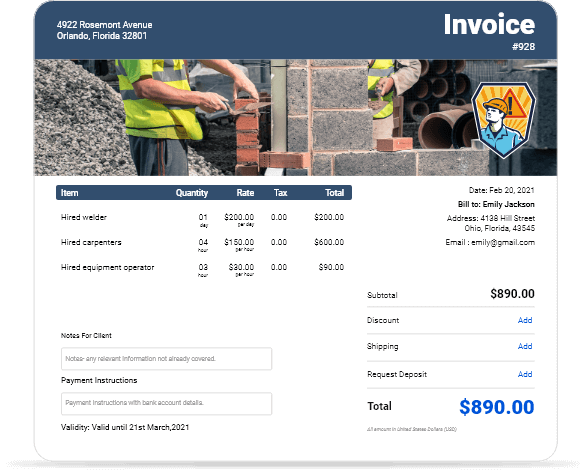
Contract Labor Invoice Template
Contract Labor Invoice Template
Read more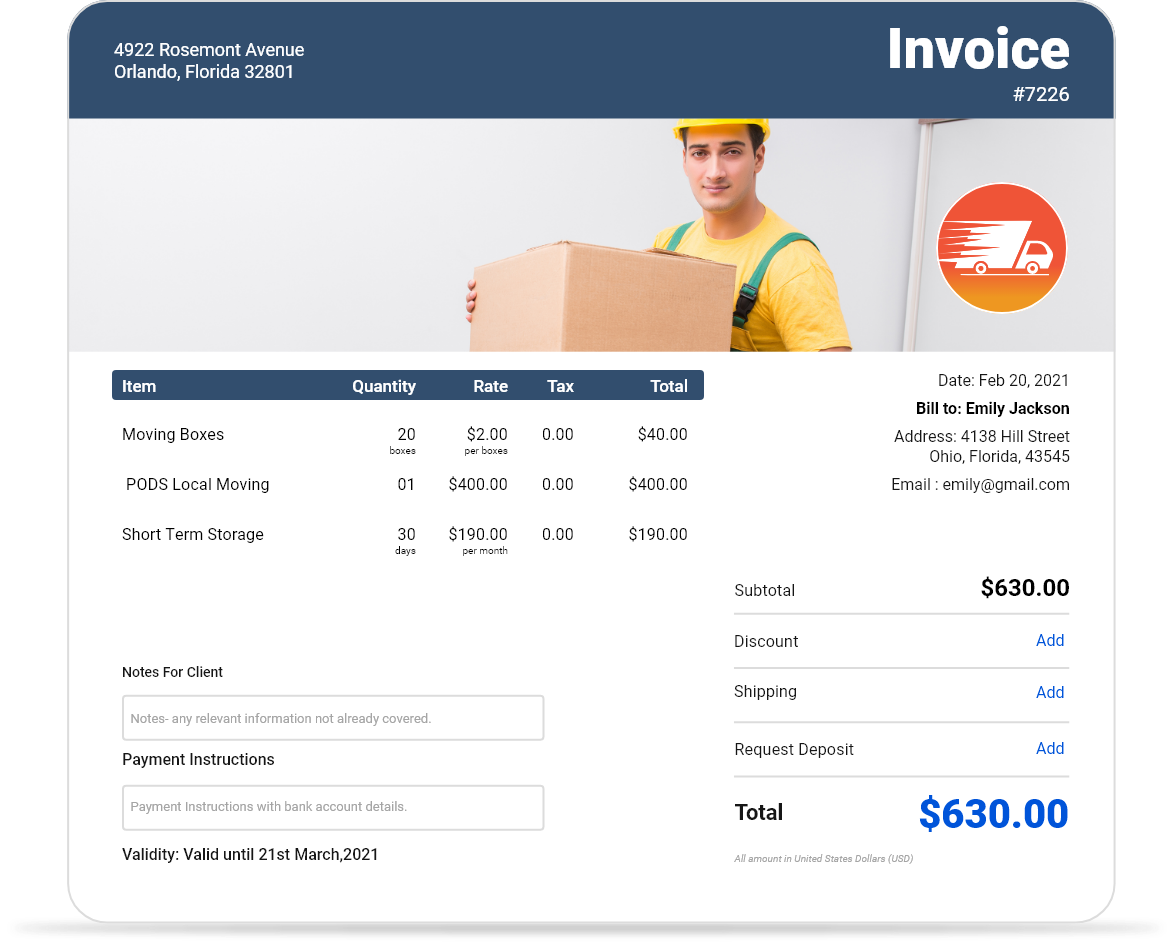
Moving Company Invoice Template
Moving Company Invoice Template
Read more
Small Business Invoice Template
Small Business Invoice Template
Read more
Software Development Invoice Template
Software Development Invoice Template
Read more14 Actionable Accounting Tips for Small Business Owners
New to finance? Discover 14 simple small business accounting tips to track revenues, expenses, and costs, and grow your business effectively.
Read moreMaximize Your Margins With Profitability Tips for Appliance Repair Businesses
Discover strategies to increase profitability in your appliance repair business and boost your margins with essential tips for success.
Read moreEssential Appliance Repair Tools: Look What You Need to Get the Job Done
Get the latest and most essential appliance repair tools and equipment for technicians in 2026. Find everything you need to get the job done right.
Read moreHow to Confirm an Appointment by Email? [With Best Examples]
Avoid last minute cancellations, improve customer relationships, and your business through appointment confirmation emails! Use these tips when writing emails!
Read moreContract Labor Invoice Template
Contract Labor Invoice Template
Read moreMoving Company Invoice Template
Moving Company Invoice Template
Read moreSmall Business Invoice Template
Small Business Invoice Template
Read moreSoftware Development Invoice Template
Software Development Invoice Template
Read more14 Actionable Accounting Tips for Small Business Owners
New to finance? Discover 14 simple small business accounting tips to track revenues, expenses, and costs, and grow your business effectively.
Read moreMaximize Your Margins With Profitability Tips for Appliance Repair Businesses
Discover strategies to increase profitability in your appliance repair business and boost your margins with essential tips for success.
Read moreEssential Appliance Repair Tools: Look What You Need to Get the Job Done
Get the latest and most essential appliance repair tools and equipment for technicians in 2026. Find everything you need to get the job done right.
Read moreHow to Confirm an Appointment by Email? [With Best Examples]
Avoid last minute cancellations, improve customer relationships, and your business through appointment confirmation emails! Use these tips when writing emails!
Read moreContract Labor Invoice Template
Contract Labor Invoice Template
Read moreMoving Company Invoice Template
Moving Company Invoice Template
Read moreSmall Business Invoice Template
Small Business Invoice Template
Read moreSoftware Development Invoice Template
Software Development Invoice Template
Read more