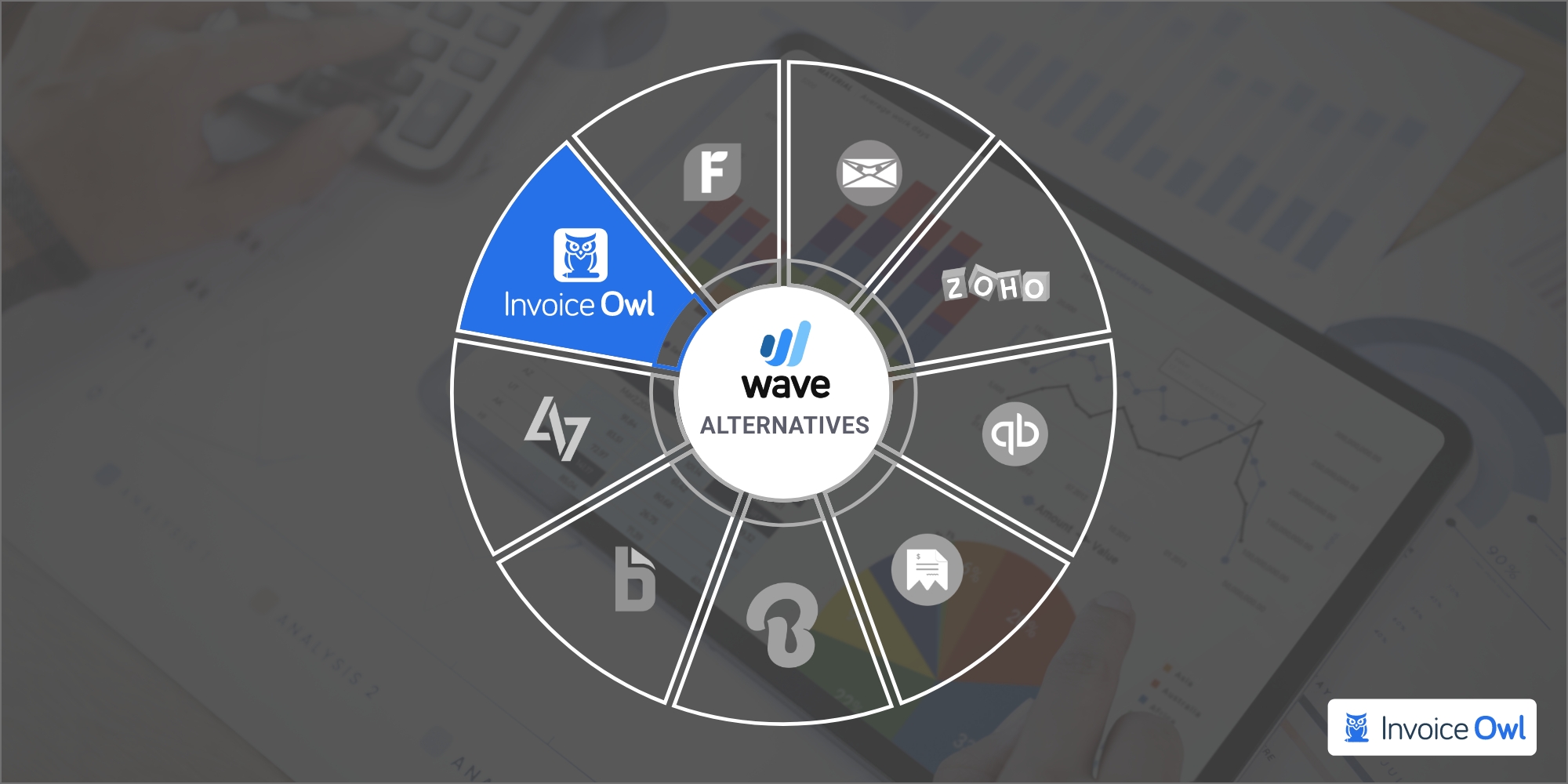
According to Capterra, Wave claims to have more than 4 million users of their accounting and payroll management software. Still, if you are looking for a Wave alternative, then there could be a strong reason(s). We know what it is and that's the reason behind articulating this article.
So, just the way you invest your time in growing your business, invest a few minutes here to save those hours you spent in creating estimates and invoices.
What You'll Learn
- 01Why businesses are seeking alternatives to Wave accounting software
- 02Key features to look for in Wave alternatives
- 03Detailed comparison of top 9 Wave alternatives for different business needs
- 04Pricing and features breakdown for each platform
- 05How to choose the right invoicing software for your business type
Why Consider Alternatives to Wave?
Though Wave offers its accounting software access free of cost, it still is not very useful since it doesn't offer what most users seek. And when that happens, it's time to look for wave alternatives.
So, what are those reasons, which make one abandon the completely free accounting software?
Key Features of Wave Alternatives
Let's quickly understand what features to look for in an acceptable Wave alternative:
Comparing leading software options
InvoiceOwl vs Wave Comparison
| Aspects | InvoiceOwl | Wave | Winner |
|---|---|---|---|
| Price | Starts from $28.99/mo | Free | Wave |
| Customer service | Good | Average | InvoiceOwl |
| Access anywhere, anytime | Yes | No | InvoiceOwl |
| Real-Time Notifications | Yes | No | InvoiceOwl |
| PO Generator | Yes | No | InvoiceOwl |
| Credit Note | Yes | No | InvoiceOwl |
Choose wisely since free accounting software offers nothing in return. On the other hand, with a minimum investment, you would be able to streamline a lot many things for your business. Whether you are a small business owner or freelancer, InvoiceOwl would be the best Wave alternative with all the features essential for managing a business.
InvoiceOwl
InvoiceOwl
Best Wave Alternative for Small Businesses, Freelancers, & Co

A growing business needs a helping hand to unload a particular set of tasks, such as creating invoices and estimates. And what's better than InvoiceOwl. It is ahead of specific areas where users face challenges with Wave.
Features that distinguish InvoiceOwl
Advanced features of InvoiceOwl
- Invoice & Estimate Generation: Create with user-friendly platform for professional, branded invoices and estimates
- eSignatures: Provides a digital drawing pad for eSignatures, allowing users to sign invoices electronically
- Multi-Company Receivables: Streamlines the management of multiple clients, enabling businesses to handle estimates, invoices, and purchase orders
- Reporting: Generates detailed sales reports to track payments, revenues, and taxes
I can create estimates on-the-go and convert them to invoices easily. The eSign feature saves a lot of back-and-forth with clients.
Easy to use on mobile devices. Shows all invoices clearly with paid/outstanding status.
FreshBooks
FreshBooks
Best for independent contractors

The cloud-based accounting software is one of the best wave accounting alternatives due to its invoicing feature. Preparing invoices through FreshBooks is a child's play. With a few clicks and form-filling, your work is done.
Besides, FreshBooks even sends payment reminders for outstanding invoices. This helps in processing an agile payment with which your bottom line of the business would increase.
Moreover, Freshbooks also has a feature called recurring invoices; this works when there is no change in order, price, and quantity. You won't have to create an invoice every single time for the particular customer who has been buying items or availing services from you.
Another area where Freshbooks stays ahead of Wave is offering prompt and effective customer support. This is one of the areas where most users have complained since Wave is poor at responding with a resolution. That makes customers feel frustrated which is one of the reasons why most wave users have started looking for an alternative.
FreshBooks vs Wave Comparison
| Aspects | Freshbooks | Wave | Winner |
|---|---|---|---|
| Price | Start from $15 | Free | Wave |
| Customer service | Good | Poor | Freshbooks |
| Integrations | 200+ | 4 | Freshbooks |
| Project management | Yes | No | Freshbooks |
| Adding more users | Yes | No | Freshbooks |
- More than 70 integrations
- Three different pricing plan options
- Swift customer service
- Project management capabilities
- Quite expensive
- Doesn't allow unlimited users
- Steep learning curve
Invoice Ninja
Invoice Ninja
Ideal for small enterprises
According to the Invoice Ninja website, around 200,000+ small business owners, freelancers, and contractors trust this wave alternative platform. The reason is:
- Swift invoice and estimate creation
- Accepting online payments
- Time-tracking
- Expense tracking
- Third-party app integrations
- Report generation
Apart from this, there are 40+ payment integrations in this invoicing solution. And talking about the customer support service, it is way beyond expectations. They are prompt and attentive to all the queries.
Best of all, Invoice Ninja's forever-free plan is great for sole proprietors and freelancers since it allows you to add 20 clients with unlimited invoice and quote creation for life.
Invoice Ninja vs Wave Comparison
| Aspects | Invoice Ninja | Wave | Winner |
|---|---|---|---|
| Pricing Plan | Starts $10 | Free | Wave |
| Is it accounting software | No | Yes | Wave |
| Customizable invoice templates? | Yes, more than wave | Limited | Invoice Ninja |
| Project Management Feature? | Available | Not Available | Invoice Ninja |
| Payment Processing Options? | More than Wave | Limited | Invoice Ninja |
- Great service after sales
- More than 30 payment integrations
- Forever-free plan with 20 clients
- Unlimited invoice creation on free plan
- Limited features & integrations
Zoho Books
Zoho Books
Perfect for single-device users

Zoho Books is another feature-packed, small business accounting software that comes at an affordable rate. No matter if you are a newbie to the accounting world, using this accounting software would be no big-brainer deal.
Besides, its mobile app is super-amazing and intuitive. Just like a web app, the mobile app is easy-to-use and one would not find any difficulty accessing or performing actions.
With great customer service and excellent invoicing solutions, Zoho Books turned out to be one of the best wave alternatives. Small businesses would benefit from this invoicing software.
Since Zoho Books is made for small to medium-size businesses, this one fits well with their requirements. Their pricing plan is also quite budget-friendly.
So, it starts with a free plan that allows 1 user with less than $50k yearly revenue. If you have 1-3 users and invoice creation of around 5k, then you can go ahead with Zoho standard plan. For if you are into the business where there are frequent purchases, then you can go ahead with the Zoho Books Professional plan which costs around $40 per month. Lastly, if you have expanded your business, Zoho Books Premium would be the best fit for you.
- Plans for every business type
- Lets you create international invoices
- Pocket-friendly rates
- Intuitive mobile application
- No payroll feature
- Fewer integrations available
Intuit Quickbooks
Intuit Quickbooks
Multi-user excellence

Quickbooks is software that ensures the proper management of your business. It is great for freelancers and big enterprises for whom taxation holds equal importance to revenue and sales.
Intuit Quickbooks online offers some great features:
- Expense tracking
- Tax support
- Deduction tracking
- Direct turbo tax integration
This software satisfies all your accounting needs in just a few clicks. And that too at a rate that doesn't put a hole in your pocket.
QuickBooks offers four pricing tiers: $12.50/month (1 user, basic features), $40/month (up to 5 users, unlimited invoices), $90/month (up to 25 users, all features), and $349/month (desktop plan).
- Manages business finance
- Help with tax deductions
- Helps with online invoicing
- Save time
- Keeps data safe
- Improper customer support
- Limited tax support
Moon Invoice
Moon Invoice
Best for expense tracking
Finding an invoicing solution that requires no special degree? Then, the Moon invoice is that hidden gem. Everything is so perfectly placed in the software that whatever you want is right in front of your eye.
And right from the invoicing era, Moon invoice has been bagging a large number of clients to its clientele. No matter if you are running a small business or large enterprise, Moon invoice would be playing an integral part in it.
With the help of tax configuration, you would easily track time and tax. Another task that the Moon invoice would swiftly execute is generating recurring invoices and reports. So, don't worry about any reports, you are just a few clicks away and you will get it.
Moreover, in the list of full-featured Moon invoices, one of which is, inbuilt team timesheets that helps to create and send estimates and invoice without much hassle.
Lastly, the pricing plan literally wins the heart. And the reason is where most competitors' basic plan starts, Moon invoice's premium plan ends. It means their premium or gold plan is available at $16.67 per month.
- Manage projects with a time tracking feature
- Takes seconds to execute expense tracking
- Manages multiple languages
- Affordable premium plan pricing
- Poor quality of text quality
Billdu
Billdu
Great for bank reconciliation
If you are a consultant, minor association, or bookkeeper looking for professional bookkeeping software, Billdu is the software you must not miss.
With the help of cutting-edge features, Billdu makes the customer experience memorable. There is a high chance of increasing customer retention rate. As the best wave alternative, this one ensures to offer what one entrepreneur or freelancer requires smooth their business.
Billdu's main focus is on making receipts for a business. You can also alter the already created receipts. Another great feature is accepting multi-currency and language, which is why it is popular across the world. The only downside is its price, which is why most large enterprises only choose to subscribe to this invoicing and estimating software.
- Access from anywhere anytime
- Multi-currency and multi-language support
- Professional receipt creation
- Quite expensive
- Not ideal for small businesses
Bill.com
Bill.com
Efficient client billing
Bill.com is a billing application that makes the accounts receivables and payables process smoother and better. This will let the bookkeepers and other administrators free from their tasks.
The software is cloud-based, meaning you can use it from your home. With the use of Bill.com, most of the back-office tasks get reduced and you would be able to focus on other key areas.
From established to already successful businesses trust Bill.com, which means this software meets expectations. Since the paper trails are a time-consuming and resource-reserving task, bill.com makes it smooth. Just as we said above, doing this makes accounts receivables and payables easy-going.
Bill.com offers three plans: Essentials ($45), Team ($55), and Corporate ($79 with QuickBooks Online, Xero, and QuickBooks Premier integration).
- Easy-to-use
- Create and send invoices
- Allows credit card payments
- Gets paid quickly with regular emails
- Requires too much spending
Bill4Time
Bill4Time
Superior time tracking
Bill4time is a different type of software; it ensures time tracking stockpiling, accounting reports, and invoicing. This is why you count on this wave accounting software.
Unlike other software that are compatible with selected company sizes, this one fits all businesses. The software is integrated with some of the finest third-party apps, such as Quickbooks, Calendly, and Document Container, which help do most of the tasks on the go.
It even accepts online payment, so you don't have to worry about getting paid faster. Moreover, you would be able to create an invoice as per your wish. It lets you add details like discounts, special charges, and notes.
Bill4time pricing models
- The Time & Billing plan charges $29 per month
- Legal Pro charges $49 per month
- Legal Enterprise charges $89 per month
So this is how Bill4time charges from their customers. If you do not want to pay, you can even use a 14-day trial period. So start using it and see if it matches your requirement.
- High-end data security
- Fits all business sizes
- Integration with major platforms
- Not up-to-mark customer experience
How to Choose the Right Wave Alternative
Consider these factors when making your decision:
By Business Type
- Small Businesses & Freelancers: InvoiceOwl offers mobile-first features with excellent pricing
- Independent Contractors: FreshBooks provides project management and time tracking
- Small Enterprises: Invoice Ninja with its forever-free plan and 40+ integrations
- Large Businesses: QuickBooks for comprehensive accounting and multi-user access
By Budget
- Free options: Invoice Ninja (forever-free plan), Zoho Books (free tier)
- Budget-friendly: InvoiceOwl ($28.99/mo), Bill4Time ($29/mo)
- Mid-range: FreshBooks ($15/mo), Moon Invoice ($16.67/mo)
- Premium: QuickBooks ($12.50-$349/mo), Bill.com ($45-$79/mo)
Must-Have Features
- Mobile accessibility for on-the-go invoicing
- Real-time notifications and payment tracking
- Multiple payment gateway integrations
- Customer support responsiveness
- Scalability as your business grows
Ready to Switch from Wave?
Join thousands of small business owners using InvoiceOwl to create professional invoices and get paid faster. Try all features free for 3 days.
Start Your FREE TrialFrequently Asked Questions
Yes, InvoiceOwl is an ideal alternative to Wave since it doesn't charge a hefty subscription amount as others. Plus, it contains all the features that are a must-have in any online accounting software. Lastly, no matter whether you are using a mobile app or web app, it runs without any glitch, meaning it wouldn't be stuck or handled while creating an estimate or invoice.
Yes, Wave is a free accounting platform that allows you to process payments, prepare payroll, and maintain bookkeeping. It is cloud-based software, meaning you can access it from anywhere, anytime.
There are several reasons why you are looking for alternatives to Wave. One major concern is its poor customer service, which can lead to delays in resolving issues. Additionally, the platform lacks the ability to manage projects effectively, making it less suitable for businesses that require project tracking features.
Data compliance is crucial for invoice and estimate creation in the U.S. to ensure adherence to standards like CCPA and other privacy laws. Basically, this helps business organizations handle all the client information securely and responsibly, including names, addresses, and payment details. It also offers to build customer trust while protecting businesses from legal risks and potential penalties related to data breaches or misuse.
Yes, there are several free alternatives to Wave for invoicing. The invoice apps are Zoho Invoice, Invoice Ninja, and PayPal Invoicing. These platforms enable users to create and send invoices for free, but there are some varying limitations.
Small businesses should choose accounting software with seamless integrations, responsive customer support, and advanced integrations with time tracking, expense record, and invoice management. Features like multi-user access, project tracking, and scalability with actionable insights help businesses stay organized, manage finances, and grow efficiently.
Conclusion and Final Thoughts
Estimating and invoicing industry has a lot of potentials and getting the best accounting software is like finding a diamond in the coal mine. But don't worry, we have done that job for you.
That diamond is - InvoiceOwl. Compiled with all the key features, this best wave alternative lets you create unlimited invoices, accept online payments, send invoices, and let your business grow multifold times.
Apart from all these benefits, InvoiceOwl estimating and invoicing software offers a free plan. With this free plan, you would be able to get familiar with different features of the software. So, what are you waiting for? Get yourself enrolled with the free plan and explore the software.